Klang.io Transcription Studio Review: The First AI Tool That Transcribes 8 Instruments Simultaneously in Under 30 Seconds
April 28, 2025
Vercel AI SDK 4.0: Build AI Apps with Streaming and Tool Calling
April 29, 2025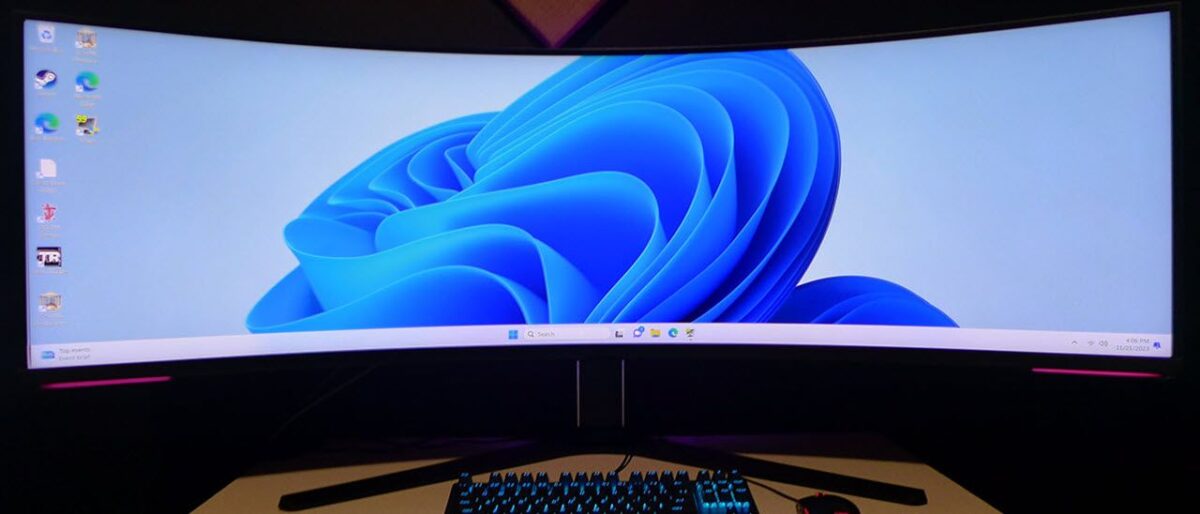
The first time I sat in front of the Samsung Odyssey Neo G9 57-inch, I genuinely forgot I was looking at a single monitor. A seamless 7680×2160 canvas stretching across my entire field of vision, with no bezel break in sight — it felt less like a display upgrade and more like stepping into a cockpit. The CES 2023 Best of Innovation award winner and the world’s first Dual UHD gaming monitor lives up to every bit of that billing.
Samsung Odyssey Neo G9 57-Inch Core Specs: The Numbers Behind the Beast
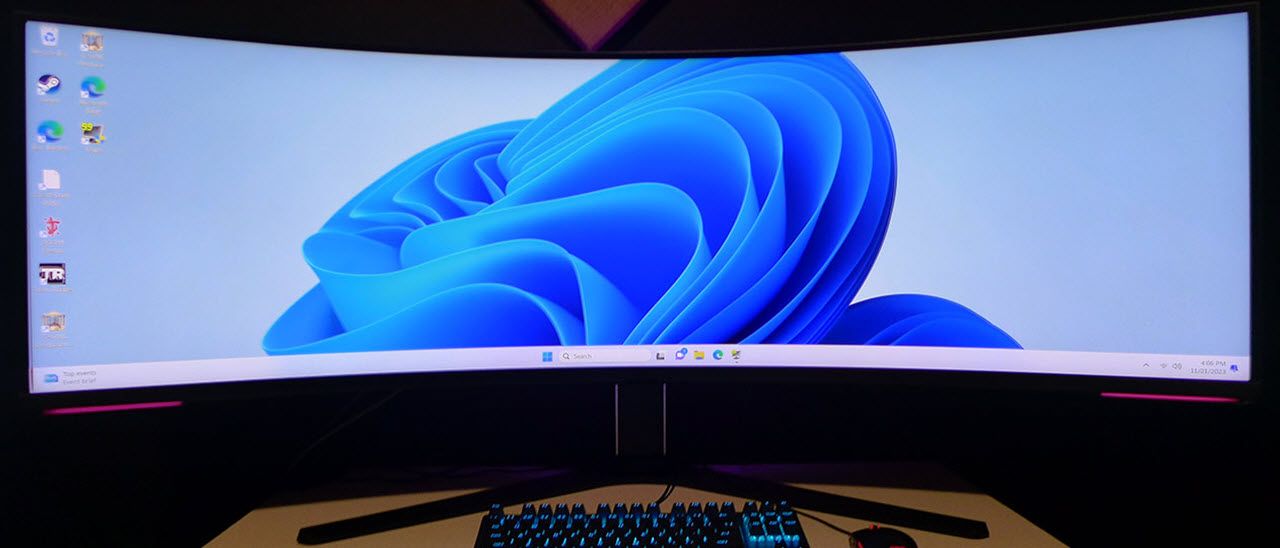
Listed under model number LS57CG952NNXZA (G95NC), this monitor packs a 57-inch VA panel running at 7680×2160 DUHD (Dual Ultra HD) resolution. To put that in perspective: at 140 PPI, you get the exact same pixel density as a standard 32-inch 4K monitor — except the screen wraps around you in a 1000R curve instead of sitting flat on your desk.
The Quantum Mini-LED backlight features 2,392 local dimming zones, delivering HDR performance that punches well above most LCD competitors. According to DisplayNinja’s measurements, peak brightness hits 1,300 nits at a 10% window and 750 nits at 100% HDR window. Native contrast ratio sits at 2,500:1, with 95% DCI-P3 coverage rounding out a color reproduction spec sheet that would make many content creators nod approvingly.
Refresh rate maxes out at 240Hz with a 1ms GtG response time. It was also the world’s first monitor to ship with DisplayPort 2.1 support, and carries AMD FreeSync Premium Pro certification. The 1000R curvature wraps the massive panel naturally around your peripheral vision, minimizing edge distortion that would otherwise plague a flat display of this size.
Real-World Experience: From Gaming Immersion to Productivity Powerhouse
Tom’s Hardware gave it a 4.5 out of 5, praising the “addictive gaming experience, stunning deep contrast and saturated color, and super smooth 240Hz.” Having spent time with this monitor, those descriptions aren’t exaggerations. Firing up a racing sim or an open-world RPG on this screen is a fundamentally different experience — your peripheral vision is consumed by the game world, and the sense of immersion borders on overwhelming.
But that immersion comes with a hardware tax. Driving 7680×2160 at 240Hz demands serious GPU horsepower. As PC Gamer’s review noted, AMD Radeon 7000-series GPUs can push the full resolution at 240Hz thanks to DisplayPort 2.1 bandwidth, while NVIDIA’s RTX 40-series tops out at 120Hz at native resolution. The DisplayPort standard your GPU supports becomes the single most important variable in your purchasing decision.
Where this monitor truly earns its keep, though, is productivity. The eternal frustration of dual-monitor setups — that bezel line splitting your workspace right down the middle — simply vanishes. Spread a code editor and terminal across the full width, or stretch a video editing timeline from edge to edge without any visual interruption. The PBP (Picture-by-Picture) mode even lets you run it as two independent 32-inch 4K displays if you prefer, feeding from two separate inputs simultaneously.
For multitaskers who routinely juggle a browser, a communication app, a reference document, and their primary workspace, the sheer horizontal real estate eliminates the constant Alt-Tab dance. You can have four full-sized application windows visible at once, each with enough resolution to be fully readable without squinting.
Mini-LED vs OLED: Why Samsung Chose This Panel Technology at 57 Inches
In a market increasingly dominated by OLED hype, Samsung’s decision to go with Quantum Mini-LED at this size is both pragmatic and strategic. The burn-in risk inherent to OLED technology is a genuine concern for workflows involving static UI elements — DAW interfaces, code editors, spreadsheets, task bars. Anyone planning to use this as a daily work monitor for 8+ hours would rightfully worry about OLED longevity.
Then there’s the manufacturing reality. Producing a 57-inch curved OLED panel at scale would push the price into territory that makes $2,299 look like a bargain. Samsung’s Mini-LED approach delivers compelling HDR performance — those 2,392 dimming zones create impressively deep blacks in dark scenes — while keeping the product within reach of enthusiast budgets, especially at the current street price of roughly $1,599.
Competitors exist, but not in this exact form factor. The LG 45GX950A OLED and Samsung’s own G93SC QD-OLED offer ultrawide alternatives, but nothing matches the 57-inch dual-4K proposition. As Newsweek put it, the monitor is “absolutely impressive,” and that assessment largely stems from its uncontested position in the market. There is simply nothing else like it.
On the brightness front, Mini-LED wins decisively. The 1,300-nit peak brightness outpaces virtually every OLED panel available, making it the stronger choice for HDR gaming in well-lit rooms and for content that leverages specular highlights.
The Trade-Offs: No Remote, No Speakers, and the GPU Barrier
Tom’s Hardware’s criticisms are worth echoing because they’re practical concerns, not nitpicks. First, there’s no remote control. For a 57-inch display, navigating the OSD via a tiny joystick on the back of the monitor requires you to physically reach behind the panel. At this size and price point, a remote should be standard.
Second, there are no built-in speakers. The target audience for a $1,599+ gaming monitor likely has a dedicated audio setup, but even a basic pair of speakers for system notifications and quick video checks would be a welcome inclusion. It’s a minor omission that adds up to daily inconvenience.
The most significant barrier, however, is GPU requirements. To fully exploit 7680×2160 at 240Hz, you need a current-generation high-end GPU with DisplayPort 2.1 output. Most gaming PCs in the wild cannot drive this monitor at its full potential. When you factor in the cost of both the monitor and a GPU capable of feeding it, total system investment climbs steeply. Budget-conscious buyers should honestly assess whether their current hardware can justify the purchase, or whether a more modest ultrawide would serve them better today.
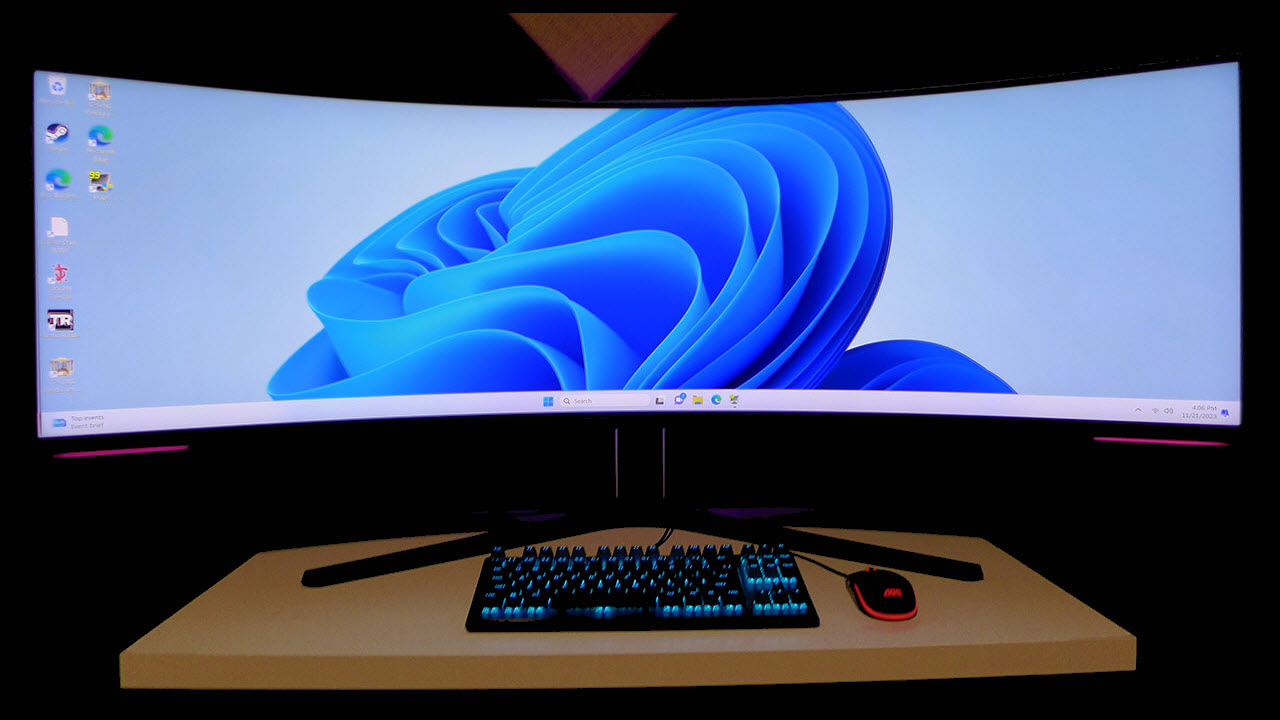
Weight is another practical consideration. At roughly 33 pounds (14.9 kg) without the stand and significantly more with it, you need a desk that can handle the load and enough depth to accommodate the aggressive curve. Standard VESA 100×100 mounting is supported, but make sure your monitor arm is rated for the weight. The physical footprint of a 57-inch curved display also demands careful desk planning — you’ll want at least 30 inches of depth to sit at a comfortable viewing distance where the 1000R curvature works as intended rather than feeling claustrophobic.
\n\n\n\nConnectivity beyond DisplayPort 2.1 includes HDMI 2.1 ports and USB hub functionality, but the real bottleneck remains the display output standard. Buyers should also be aware that not all DisplayPort 2.1 cables are created equal — you’ll want a UHBR 20 certified cable to ensure full bandwidth delivery at the highest refresh rates.
My Take: A Producer’s Perspective on 57 Inches of Workspace
After 28 years working in music production and audio engineering, I’ve been through every monitor configuration imaginable — from single CRTs to triple-screen setups to ultrawide transitions. The constant thread through all of it has been the same frustration: never having enough screen space for the tools I need visible simultaneously. A DAW session with 60+ tracks, a mixing console view, plugin chains, a reference track player, and session notes — something always gets buried behind something else.
A 7680×2160 continuous workspace fundamentally changes that equation. In Ableton Live, you could lay out Session View and Arrangement View side by side at full width, with a plugin chain still visible. In Pro Tools, a large session’s mixer view becomes readable without horizontal scrolling — and when you can see every channel strip at once, your mixing decisions become faster and more accurate. The cognitive load of constantly navigating between hidden windows drops dramatically.
The same principle applies to video editing workflows. In DaVinci Resolve or Premiere Pro, a timeline stretching across 57 inches of horizontal space lets you grasp the structure of an entire project at a glance. For creators who bounce between music production and video work — an increasingly common reality in 2025 — this single monitor could genuinely replace a dual or triple monitor setup. The caveat? VA panel technology means color accuracy takes a slight hit compared to IPS or OLED, so if color grading is your primary concern, you’ll still want a calibrated reference display alongside this one.
The Verdict: A Monitor That Exists in a Category of One
The Samsung Odyssey Neo G9 57-inch occupies a market position with zero direct competitors. Dual-4K resolution, 2,392 Mini-LED dimming zones, 240Hz refresh rate, and DisplayPort 2.1 — all packed into a 57-inch 1000R curved panel. For the gamer who wants maximum immersion without sacrificing productivity, or the creative professional tired of bezel lines interrupting their workflow, this is the best option currently available. Period.
The $1,599 street price (down from the original $2,299 MSRP) makes it more accessible than at launch, but you still need a GPU investment to match. If your current system is rocking anything below an RTX 4070-class card, you won’t be tapping into what this monitor can do. But if you’ve already got the hardware to drive it and the desk space to accommodate it — stop deliberating. Nothing else on the market offers this combination of resolution, size, refresh rate, and HDR performance in a single seamless display.
Get weekly AI, music, and tech trends delivered to your inbox.