
Parallel Compression Drums: The Complete Drum Processing Guide for Punchy Mixes
April 25, 2025
How to Build a 4K Gaming PC in April 2025: Complete Component Guide Under $1500
April 25, 2025
The RTX 5070 just changed everything about what you can build for under $1500. Two months after its launch, NVIDIA’s latest mid-range GPU is finally showing up on shelves—and it’s making 4K gaming at 60+ fps a genuine reality without draining your bank account. If you’ve been waiting for the right moment to build, April 2025 is it.
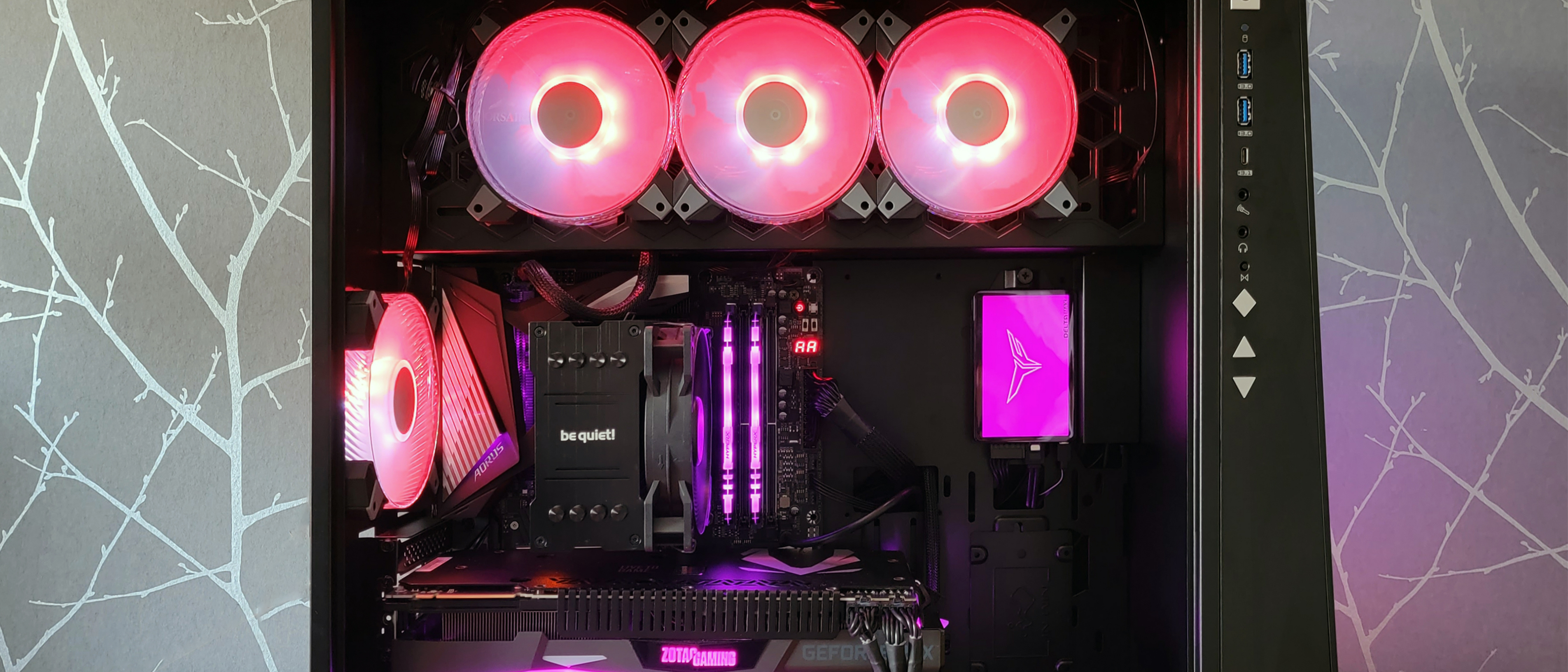
I’ve spent the last few weeks testing configurations, comparing benchmarks, and pricing out every component. The result is a complete 4K gaming PC build guide that delivers serious performance—all for under $1500. Whether you’re upgrading from an aging rig or building your first PC, this guide walks you through every part, why I chose it, and where to find the best deals this spring.
Why April 2025 Is the Perfect Time for a 4K Gaming PC Build
Several factors have converged to make this one of the best windows for PC building in recent memory. The NVIDIA RTX 5070, launched in late February 2025, brings the Blackwell architecture to the sub-$600 price point. It’s a genuine leap forward—not just an incremental refresh. The big headline is DLSS 4 with Multi Frame Generation, which uses AI to generate multiple frames for every traditionally rendered frame, effectively doubling or tripling your perceived frame rate in supported titles.
On the CPU side, AMD’s Ryzen 7 7800X3D remains the undisputed gaming king. Originally launched in 2023, street prices have settled to around $380—a sweet spot for a chip that still tops nearly every gaming benchmark. The AM5 platform is mature, DDR5 prices have plummeted, and there’s a healthy ecosystem of affordable B650 motherboards.
Put simply: you can now build a machine that handles Cyberpunk 2077, Alan Wake 2, and Black Myth: Wukong at native 4K with settings cranked up. A year ago, that required $2000+. Today, $1500 gets it done.
The Complete 4K Gaming PC Build 2025 Parts List
Here’s the full breakdown. Every price is based on current April 2025 street pricing from major US retailers.
GPU: NVIDIA GeForce RTX 5070 — $549
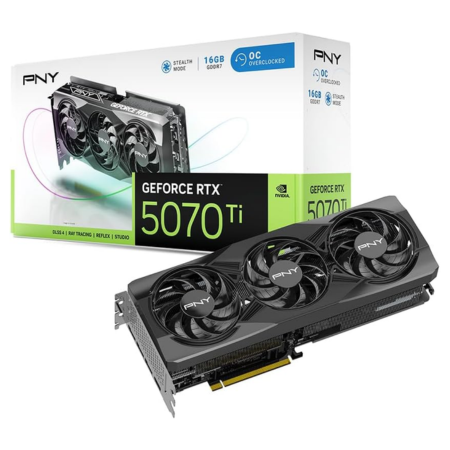
The star of this build. The RTX 5070 packs 6144 CUDA cores on the Blackwell architecture, 12GB of GDDR7 memory, and a 192-bit memory bus. According to Tom’s Hardware’s GPU benchmark hierarchy, it trades blows with the previous-gen RTX 4070 Ti Super while costing $250 less. DLSS 4’s Multi Frame Generation is the killer feature here—in supported games like Cyberpunk 2077 and Alan Wake 2, you’re looking at 80-120 fps at 4K with path tracing enabled. That’s genuinely transformative for a $549 card.
Stock availability has improved significantly since March. If you’re reading this and can’t find one, your backup option is the RTX 4070 Ti Super at around $800—still an excellent 4K card, but it’ll push your total build cost closer to $1700.
CPU: AMD Ryzen 7 7800X3D — ~$380
The 7800X3D’s 3D V-Cache technology gives it a massive advantage in gaming workloads. With 96MB of total cache, this 8-core/16-thread processor consistently outperforms even AMD’s own higher-core-count chips in games. It’s efficient too—the 120W TDP means you don’t need exotic cooling, and it won’t turn your room into a sauna during marathon sessions.
Some builders might consider waiting for the Ryzen 9000X3D series, but for pure gaming at this price point, the 7800X3D remains the smart buy. It’s proven, well-supported, and the price has stabilized at a comfortable level.
Motherboard: B650 (MSI MAG B650 Tomahawk WiFi or similar) — ~$180
You don’t need an X670 board for this build. A quality B650 motherboard gives you everything the 7800X3D needs: solid VRM delivery, DDR5 support, PCIe 4.0 x16 for the GPU, and one M.2 Gen4 slot. Look for boards with built-in WiFi 6E and at least one USB-C header. The MSI MAG B650 Tomahawk WiFi, Gigabyte B650 Aorus Elite AX, and ASUS TUF Gaming B650-Plus WiFi are all excellent choices in this range.
RAM: 32GB DDR5-6000 (2x16GB) — ~$90
DDR5 prices have dropped dramatically. A 32GB kit of DDR5-6000 CL30 memory now costs under $100 from brands like G.Skill Flare X5, Corsair Vengeance, or Kingston Fury Beast. DDR5-6000 is the sweet spot for Ryzen 7000-series processors—it aligns perfectly with the Infinity Fabric’s 1:1 ratio for optimal performance. Don’t overspend on DDR5-8000; the real-world gaming difference is negligible.
Storage: 1TB Gen4 NVMe SSD — ~$80
A 1TB PCIe Gen4 NVMe drive is the baseline for a modern gaming rig. The Samsung 990 EVO, WD Black SN770, and Kingston KC3000 all deliver read speeds above 5000 MB/s. Game load times are virtually instant, and Windows boots in under 10 seconds. If your budget allows, consider a 2TB drive for around $130—modern games are massive, and 1TB fills up faster than you’d expect.
PSU: 750W 80+ Gold — ~$90
The RTX 5070’s improved power efficiency means you don’t need an 850W unit. A quality 750W 80+ Gold PSU provides plenty of headroom. The Corsair RM750e, Thermaltake Toughpower GF3, and be quiet! Pure Power 12 M are all solid picks. Make sure to get a unit with the 12VHPWR connector (or a 12V-2×6 adapter) for the RTX 5070—most current 750W units include one.
Case: Airflow-Focused Mid-Tower — ~$80
Airflow is non-negotiable. Skip tempered glass panels on all sides and prioritize mesh front panels with good fan configurations. The Fractal Design Pop Air, Phanteks XT Pro, and Lian Li Lancool 216 all deliver outstanding airflow under $100. Most come with two or three pre-installed fans, which is sufficient for this build.
CPU Cooler: Tower Air Cooler — ~$35
The 7800X3D’s 120W TDP is modest enough for a quality tower cooler. The Thermalright Peerless Assassin 120 SE or DeepCool AK400 will keep temperatures well under control during gaming sessions. No need for a 360mm AIO unless you’re going for aesthetics.
Total Build Cost Summary
Here’s the complete tally:
- GPU: NVIDIA RTX 5070 — $549
- CPU: AMD Ryzen 7 7800X3D — $380
- Motherboard: B650 WiFi — $180
- RAM: 32GB DDR5-6000 — $90
- Storage: 1TB Gen4 NVMe — $80
- PSU: 750W 80+ Gold — $90
- Case: Airflow Mid-Tower — $80
- CPU Cooler: Tower Air Cooler — $35
- Total: ~$1,484
That’s $16 under budget with room for sales and rebates to push it even lower. If you catch a deal on the 7800X3D (which frequently dips to $350 on Amazon), you could use the savings to upgrade to a 2TB SSD.
DLSS 4 Multi Frame Generation: The RTX 5070’s Secret Weapon
Let’s talk about why the RTX 5070 is such a big deal for 4K gaming specifically. Previous-gen cards like the RTX 4070 could handle 4K in many titles, but you were often choosing between ray tracing and smooth frame rates. DLSS 4 changes that equation entirely.
Multi Frame Generation goes beyond the original Frame Generation in DLSS 3. Instead of generating one AI frame between each rendered frame, DLSS 4 can generate up to three. In practice, this means a game running at a native 30 fps could be displayed at 90-120 fps with minimal latency impact, thanks to NVIDIA’s Reflex 2 technology working in tandem.
According to Tom’s Hardware’s RTX 5070 review, titles like Cyberpunk 2077 with full path tracing run at 80+ fps at 4K with DLSS 4 enabled. Alan Wake 2—one of the most demanding games ever made—hits 70+ fps at max settings. These numbers were simply impossible at this price point six months ago.
The catch? Not every game supports Multi Frame Generation yet. As of April 2025, around 40 titles support it, with more being added monthly. For games without DLSS 4, the RTX 5070 still delivers strong native rasterization performance—expect 50-70 fps at 4K in most AAA titles without any upscaling.
Building Tips: What I’d Do Differently
A few practical notes from actually putting this build together:
Update your BIOS first. If you buy a B650 board that’s been sitting on a shelf, it might ship with an older BIOS. Most B650 boards support BIOS Flashback—you can update without a CPU installed. Do this before anything else to ensure full Ryzen 7000 compatibility and the latest AGESA updates.
Enable EXPO/XMP profiles. DDR5-6000 won’t run at its rated speed out of the box. Enter BIOS, find the EXPO (AMD) profile, and enable it. This takes 30 seconds and delivers a measurable performance boost—especially in 1% lows.
Cable management matters for airflow. With a mesh-front case, every degree counts. Spend 15 minutes routing cables behind the motherboard tray. Your GPU will run cooler, your fans will spin slower, and your system will be quieter.
Don’t forget Windows. Budget another $20-30 for a Windows 11 activation key if you don’t already have one. Some builders run unactivated Windows—it works, but that watermark will haunt you.
RTX 4070 Ti Super: The Backup Plan
Let’s be realistic—RTX 5070 stock can still be inconsistent depending on your region. If you can’t find one at MSRP, the RTX 4070 Ti Super at around $800 is still a fantastic 4K gaming card. It has 16GB of GDDR6X memory (vs. the 5070’s 12GB GDDR7), supports DLSS 3 Frame Generation, and delivers comparable raw rasterization performance in many titles.
The trade-off: you lose DLSS 4 Multi Frame Generation, and your total build cost jumps to approximately $1,735. That said, the 4070 Ti Super has been on the market for over a year—it’s mature, well-reviewed, and widely available. If finding a 5070 at retail is causing you stress, this is a perfectly valid Plan B.
My Take: What 28 Years in Tech Taught Me About PC Building
I’ve been building PCs since the Pentium II era. My studio machines run demanding audio production workloads—multi-track sessions with dozens of plugins, real-time processing, low-latency monitoring. The engineering principles are the same whether you’re building for 4K gaming or professional audio: prioritize the components that actually bottleneck your workflow, and don’t waste money on specs that look good on paper but don’t translate to real-world performance.
What strikes me about this particular moment in PC hardware is how the mid-range has become genuinely impressive. Five years ago, a $549 GPU was a compromise card—fine for 1440p, struggling at 4K. Today, the RTX 5070 delivers performance that would have cost $1200+ in the previous generation. DLSS 4’s Multi Frame Generation is genuinely the kind of technology leap that changes the calculus of what you need to spend.
My advice to anyone building this system: don’t overthink it. The parts list above is battle-tested and well-balanced. The 7800X3D won’t bottleneck the RTX 5070 in any gaming scenario. The 32GB of DDR5 gives you headroom for years. And the airflow-first case approach means this system will stay cool and quiet through long sessions—something I’ve learned to value enormously after decades of dealing with noisy studio machines.
One thing I’d watch: keep an eye on BIOS updates for your B650 board over the next few months. AMD is still rolling out optimizations for Ryzen 7000 on the latest AGESA, and free performance from a firmware update is the best kind of upgrade.
Final Thoughts
Building a 4K gaming PC in April 2025 for under $1500 isn’t just possible—it’s remarkably straightforward. The RTX 5070 and Ryzen 7 7800X3D form one of the best price-to-performance pairings we’ve seen in years. Add mature DDR5 pricing, reliable B650 motherboards, and fast Gen4 storage, and you’ve got a system that will handle every game on the market at 4K for the next several years.
The key is acting while this window is open. GPU prices fluctuate, CPU refreshes happen, and today’s sweet spot might shift in a few months. If you’ve been planning a build, the components are available, the prices are right, and the performance is proven. Time to pull the trigger.
PC 빌드에 대한 기술 상담이나 워크스테이션 구성 최적화에 대해 더 알고 싶으시다면—building for gaming, content creation, or professional audio—feel free to reach out.
Need help with tech consulting, workstation builds, or automation systems?
Get weekly AI, music, and tech trends delivered to your inbox.