Best Father’s Day Tech Gifts 2025: Gadgets for Every Budget
June 24, 2025
WaveLab Pro 13 Metering Overhaul — 7 Reasons MasterRig 2 and TruePeak Change the Mastering Game
June 25, 2025
Your Obsidian vault just crossed 500 notes, and finding anything feels like searching a landfill. Sound familiar? I was in the same boat until I installed three Obsidian AI plugin tools that automatically linked and tagged over 2,000 notes — without sending a single byte to the cloud. The era of local-first AI for knowledge management is here, and it works better than you might expect.
Apple just confirmed this direction at WWDC 2025 with their Foundation Models framework — three lines of Swift code for free on-device inference, with your data never leaving the device. But Obsidian’s plugin ecosystem has been doing this for months. Today, I’m breaking down the three most powerful local LLM plugins that will transform how you manage your knowledge base.
Why Local LLMs Matter for Your Obsidian AI Plugin Setup
The whole point of Obsidian is local-first, markdown-based knowledge ownership. Sending your notes to external APIs for AI processing contradicts that fundamental philosophy. Local LLMs solve this completely.
With Ollama, you can run open-source models like Llama 3, Phi-3, Mistral, and Gemma directly on your machine. An M1 Mac handles 7B-13B models comfortably, and a PC with an RTX 3060 or better can run even larger ones. Your notes never leave your computer. Period.
The practical benefits go beyond privacy. There are no API costs, no rate limits, no internet dependency. Once you download a model, it works anywhere — on a plane, in a coffee shop with terrible WiFi, or in a corporate environment where data exfiltration policies would block cloud AI entirely.
Smart Connections v4: The Semantic Search Powerhouse
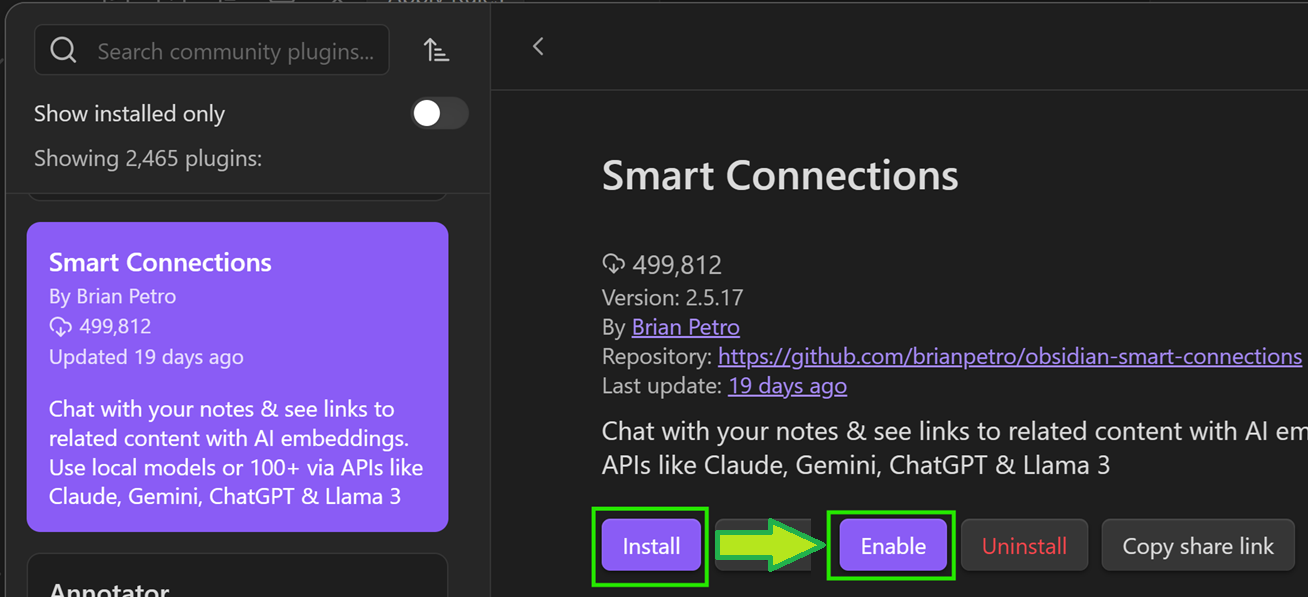
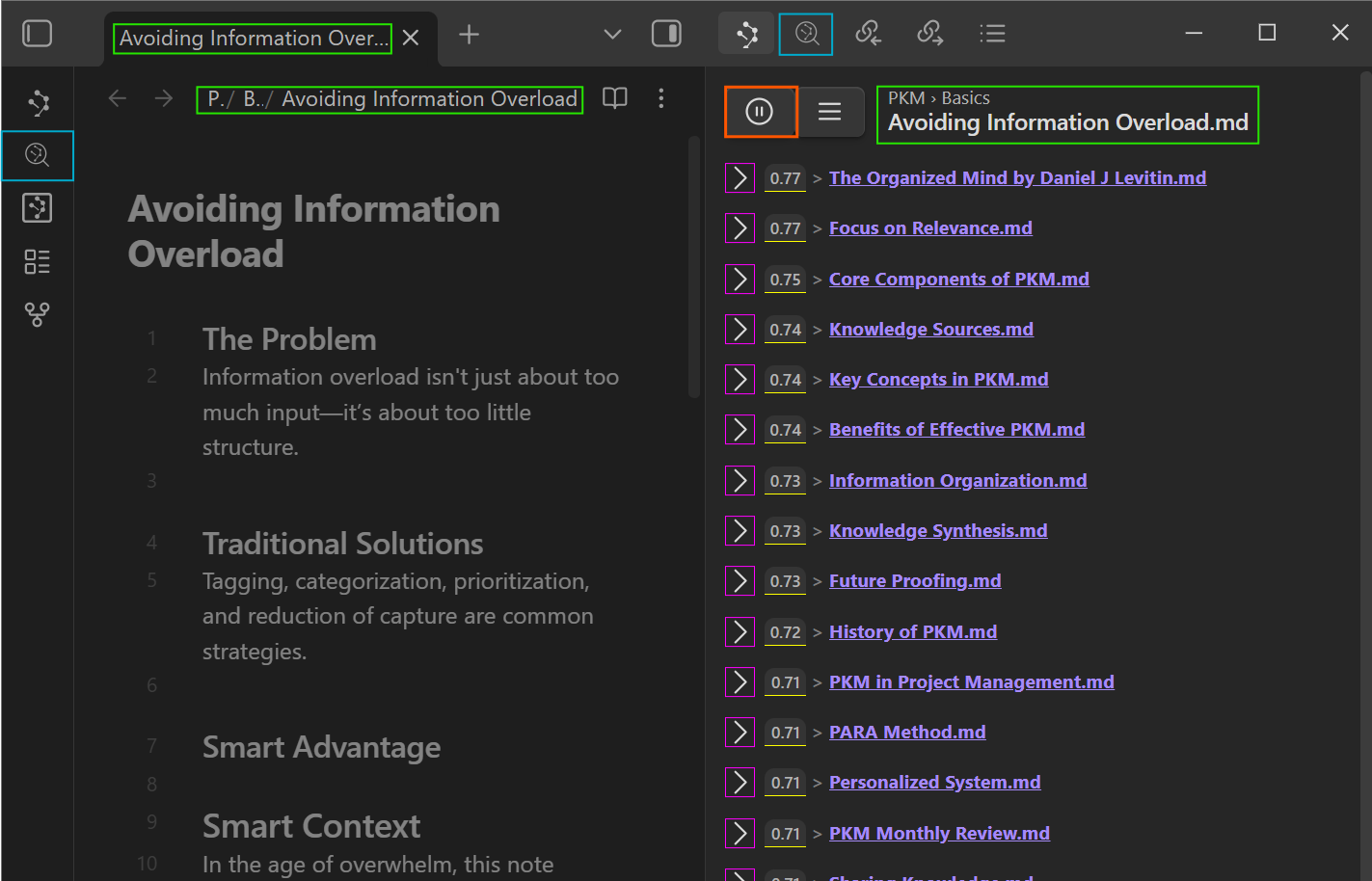
Smart Connections is the most popular Obsidian AI plugin for a reason. Its core feature is local-first semantic search — finding related notes by meaning, not just keywords. A note titled “machine learning optimization” automatically connects with one about “improving model performance,” even though they share zero keywords.
Key Features
- Zero-setup embeddings: The local embedding model starts working immediately after installation. No API keys required.
- Connections View sidebar: Displays semantically related notes in real-time as you write.
- Smart Lookup: Natural language search across your entire vault.
- Drag-to-link: Drag related notes directly into your current note as wiki-links.
- Chat with Notes: Integrates with 100+ AI models including Claude, GPT, and Llama 3 for note-based conversations.
- Full offline support: Embeddings and search work without any internet connection.
- Mobile compatible: Works on iOS and Android Obsidian apps.
The free core version gives you semantic search and local embeddings. The Pro tier adds more refined models and additional features. You can review the source code on the GitHub repository.
AI Tagger Universe v1.0.16: Automated Tagging That Actually Works
Manually tagging notes is the most tedious part of knowledge management. AI Tagger Universe eliminates this pain entirely. It analyzes note content through an LLM and generates appropriate tags automatically.
What Makes It Stand Out
- 15+ backend support: Local options like Ollama, LM Studio, and LocalAI, plus cloud services like Claude, GPT, and Gemini.
- Existing tag matching: Instead of generating random tags, it learns your vault’s existing tag taxonomy and maintains consistency.
- Hierarchical tags: Automatically creates nested tags like
#project/ai/nlp. - Batch tagging: Process hundreds of notes in a folder at once. Essential for organizing existing vaults.
- 5 tag formats: Supports inline tags, YAML frontmatter, mixed formats, and more.
- Tag network visualization: Displays tag relationships as a graph to help you understand your knowledge structure.
When connected to Ollama, everything runs completely offline. The Llama 3 8B model provides more than sufficient performance for most tagging tasks, processing an average note in under two seconds.
Smart Second Brain: Turn Your Vault into a RAG Pipeline
Smart Second Brain is the most ambitious Obsidian AI plugin of the three. It transforms your entire vault into a Retrieval-Augmented Generation (RAG) pipeline, creating a personal AI assistant that answers questions based on your own notes.
What Sets It Apart
- Fully offline RAG: Needs only Ollama — no internet connection required.
- Source references: Every answer clearly shows which notes the information came from.
- Multi-model support: Choose from Llama 3, Phi-3, Mistral, Gemma, and other local models.
- Privacy-first design: All processing happens locally. Zero data transmission.
Imagine you can’t remember a specific decision from a project meeting six months ago. Ask “What were the Q3 budget decisions?” and Smart Second Brain searches your vault, retrieves the relevant meeting notes, and synthesizes an answer with exact source references. The more notes you have, the more powerful it becomes.
Head-to-Head: Comparing the Three Obsidian AI Plugins
Each plugin solves a different problem. Here’s how they compare at a glance.
| Feature | Smart Connections v4 | AI Tagger Universe v1.0.16 | Smart Second Brain |
|---|---|---|---|
| Core Function | Semantic note search/linking | Auto-tagging | Vault Q&A (RAG) |
| Local LLM Support | Local embeddings + 100+ chat models | Ollama, LM Studio, LocalAI | Native Ollama |
| Offline | Full support | With local models | Full support |
| Batch Processing | Auto vault-wide embedding | Folder-level batch tagging | Full vault indexing |
| Price | Free core / Paid Pro | Free | Free |
| Mobile | Supported | Not yet | Not yet |
| Best For | Strengthening note connections | Automating tag systems | Note-based Q&A |
Practical Setup Guide: Ollama + All Three Plugins
All three plugins can use Ollama as their backend, so you only need to install it once. Here’s the step-by-step process.
Step 1: Install Ollama and Download Models
# macOS / Linux
curl -fsSL https://ollama.com/install.sh | sh

# Or download from ollama.com

# Recommended models
ollama pull llama3:8b          # General purpose (tagging, Q&A)
ollama pull nomic-embed-text   # Embeddings (Smart Connections)
On an M1/M2/M3 Mac, Llama 3 8B takes about 4.7GB of storage and runs comfortably with 8GB of RAM. Windows users can download the installer from ollama.com.
Step 2: Install the Community Plugins
Settings → Community Plugins → Browse
→ Search "Smart Connections" → Install → Enable
→ Search "AI Tagger Universe" → Install → Enable
→ Search "Smart Second Brain" → Install → Enable
Step 3: Configure Smart Connections
Smart Connections starts local embedding immediately after installation — no configuration needed for basic use. To use Ollama for the Chat feature, go to Settings and change the Chat Model to llama3:8b with the Ollama provider.
Step 4: Configure AI Tagger Universe
In Settings, navigate to AI Tagger Universe and set the Provider to Ollama. The default endpoint is http://localhost:11434. Enter llama3:8b as your model. Choose your preferred tag format — YAML Frontmatter works best for most workflows.
Step 5: Configure Smart Second Brain
Smart Second Brain is designed around Ollama by default. Set the LLM Provider to Ollama, select your model, and you’re done. The initial vault indexing takes about 5-10 minutes for 1,000 notes.
WWDC 2025 and the Future of On-Device AI
Apple’s Foundation Models framework announced at WWDC 2025 sends a clear signal: on-device AI is the industry direction. Three lines of Swift code for free on-device inference, with guaranteed privacy by design.
Obsidian’s local LLM plugins are already living this future. Smart Connections’ on-device embeddings, AI Tagger Universe’s Ollama integration, and Smart Second Brain’s fully offline RAG all share the same philosophy: your data stays on your machine. Apple’s move proves this isn’t a niche trend — it’s where the entire industry is heading.
Power User Workflow: Combining All Three Plugins
These plugins create a multiplicative effect when used together. Here’s the workflow I recommend.
- Right after writing a note: Run AI Tagger Universe for automatic tagging. It generates 3-5 tags consistent with your existing taxonomy.
- During research: Keep the Smart Connections sidebar open to see semantically related notes in real-time. Drag-to-link to instantly create connections.
- Weekly reviews: Ask Smart Second Brain to summarize notes related to specific projects or themes from the past week.
- Vault cleanup: Use AI Tagger Universe’s batch tagging to process old, untagged notes in bulk.
The best part? Ollama runs all three plugins from a single background process. When idle, it consumes minimal system resources, so your regular workflow isn’t affected at all.
Performance Considerations and Hardware Requirements
Running local LLMs does require some baseline hardware. For the embedding-only tasks in Smart Connections, virtually any modern computer works fine — even a 2018 MacBook Air can handle the lightweight embedding models. The heavier lifting comes with the chat and tagging models.
For Ollama with Llama 3 8B, the sweet spot is 16GB of RAM and an Apple Silicon Mac or a dedicated GPU with at least 6GB of VRAM. If your machine is more constrained, consider using Phi-3 Mini (3.8B parameters) instead — it’s remarkably capable for its size and runs smoothly on 8GB machines. The quality difference for tagging tasks is minimal.
One practical tip: set Ollama to load models on demand rather than keeping them resident in memory. This way, the model loads when a plugin needs it (about 3-5 seconds on an SSD) and unloads after a period of inactivity. Your day-to-day Obsidian usage remains snappy, and AI features activate only when you invoke them.
As one writer at MakeUseOf documented, using a local LLM to organize a chaotic Obsidian vault delivers real, tangible results. The conclusion is consistent across experiences: local AI has reached practical maturity, and you don’t have to sacrifice privacy for powerful knowledge management.
The Obsidian AI plugin ecosystem is growing rapidly, fueled by improvements in local inference infrastructure like Ollama. Now is the perfect time to bring AI into your knowledge management system. All three plugins offer free tiers, so you can start today and see the transformation firsthand. Your notes have been waiting for this level of intelligence — and your data never has to leave your machine to get it.
Looking to build AI-powered automation systems or need tech consulting? Let’s talk.
Get weekly AI, music, and tech trends delivered to your inbox.