Intel Battlemage B-Series GPU Price Drop: Why Arc B580 at $234 Finally Makes Budget Gaming Competitive
June 27, 2025
Best Studio Chairs for Music Producers: 5 Ergonomic Picks Under $500 That Survive 12-Hour Sessions
June 30, 2025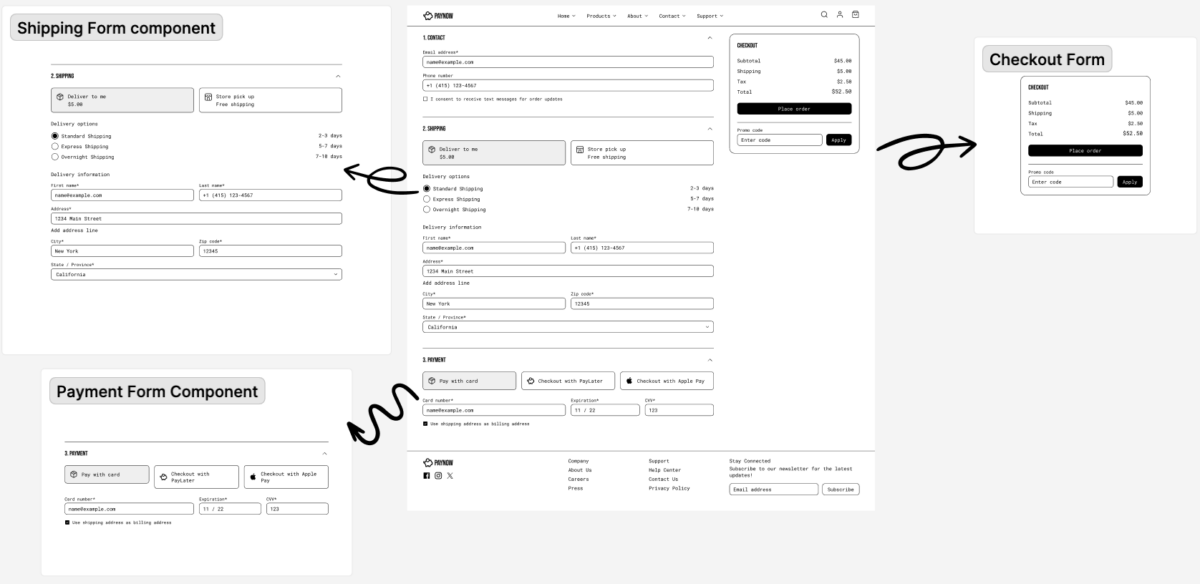
Vercel v0 component library support just dropped, and it solves one of the biggest friction points in AI-assisted web development — no more rewriting the same button every time you prompt.
If you’ve spent any time with Vercel’s v0, you know the pain: you generate a beautiful dashboard, but every component looks like default shadcn/ui out of the box. Your brand colors? Gone. Your custom spacing tokens? Ignored. Your carefully crafted design system? Completely disconnected from the AI’s output. With the new Vercel v0 component library support, that era is officially over.
What Vercel v0 Component Library Support Actually Means
At its core, this update introduces a registry-based system that lets v0 understand and use your custom components when generating UI. Instead of defaulting to vanilla shadcn/ui primitives, v0 can now pull from your own component library — complete with your design tokens, custom styles, and brand-specific patterns.
The implementation relies on the shadcn/ui Registry specification, which acts as a distribution layer between your design system and AI models. Think of it as a bridge: your components on one side, v0’s AI on the other, with the registry translating your design language into something the model can understand and reproduce.
Three Ways to Connect Your Vercel v0 Component Library
1. Registry-Based Integration (Most Powerful)
The registry system supports multiple sources — built-in registries like @shadcn and @v0, community registries via @namespace, private registries with authentication, and even local or URL-based registries. The key feature here is automatic recursive resolution of npm packages and cross-registry component dependencies. When you point v0 at your registry, it doesn’t just see your Button component — it understands the entire dependency tree.
// Example registry configuration
{
  "registries": [
    {
      "name": "my-design-system",
      "url": "https://registry.mycompany.com",
      "style": "default"
    }
  ]
}
2. Tailwind Configuration + CSS Variables
If you’re not ready for a full registry setup, v0 now respects your tailwind.config and globals.css files. Custom utility classes, CSS variables, and design tokens defined in these files are carried through to every generation. This follows the shadcn/ui CSS variables standard, meaning you can customize colors by overwriting variables in your tokens file and modify fonts through Next.js font imports.
3. NPM Package Integration
For teams with published component libraries, v0 can work directly with any publicly available npm package. Material UI, React Aria, Radix UI, Chakra — ask v0 to use them, and it generates components using those libraries instead of default shadcn/ui. The platform is aware of many third-party UI and animation libraries and can incorporate them on request.
The Figma Connection: Design-to-Code Gets Real
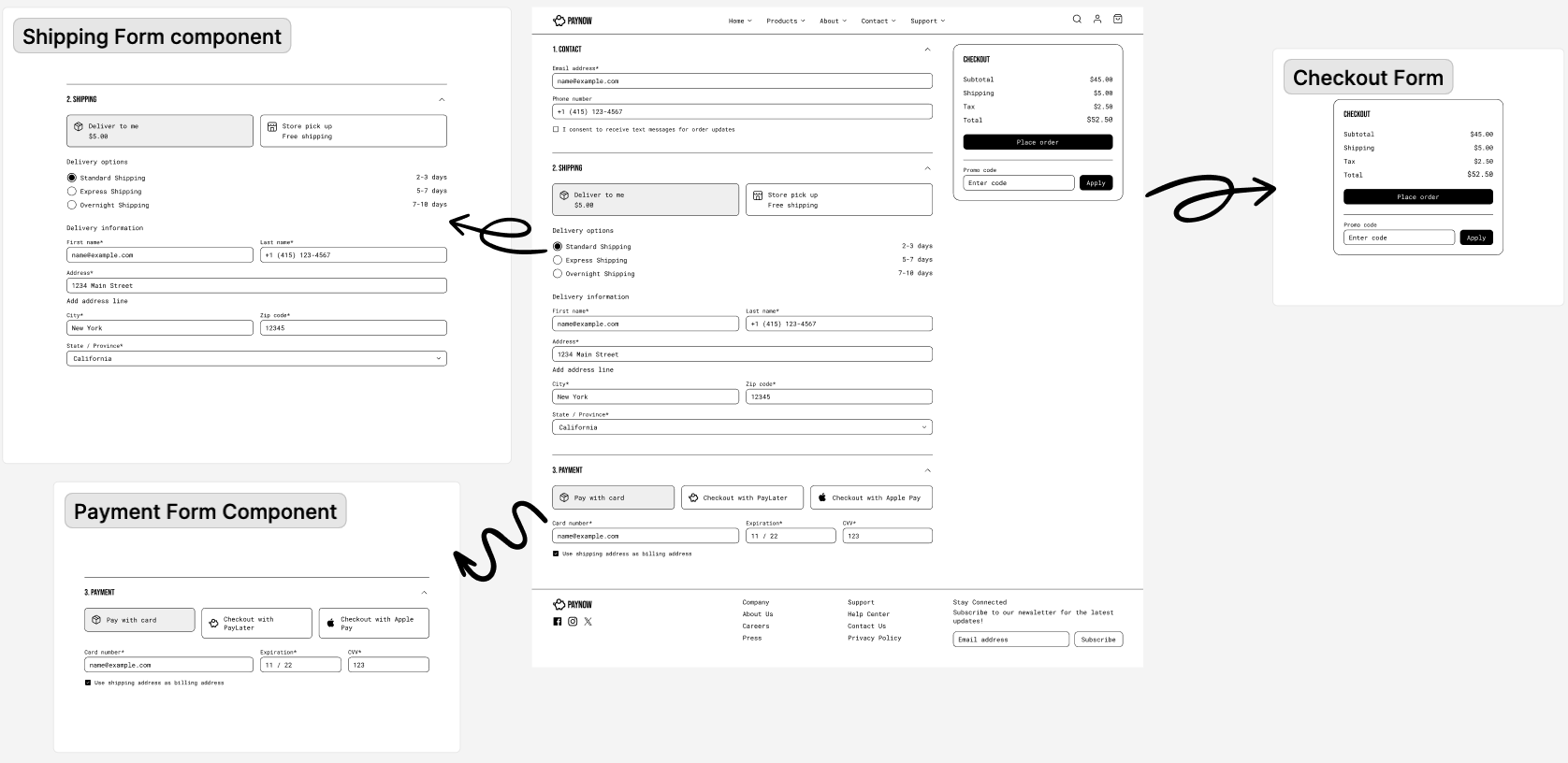
Perhaps the most practical addition is Figma integration. You can now import Figma frames directly into v0, and the AI will generate code that matches your design — using your component library, not generic defaults.
The recommended workflow is telling: break designs into smaller, manageable components within individual frames. Build individual components first, then combine them. Separate navigation bars, sidebars, forms, and unique UI elements. This iterative approach produces significantly better results than trying to convert an entire page layout in one prompt.
Some teams that refactored their design systems around shadcn/ui report reducing design-to-implementation time by up to three times. That’s not a marginal improvement — that’s a fundamental shift in how fast you can ship UI.
What This Means for Real-World Development Teams
The practical implications break down into three categories:
For startups and solo developers: You no longer need to choose between speed (using v0’s defaults) and consistency (maintaining your own design system). Connect your Tailwind config once, and every v0 generation respects your brand from day one.
For enterprise teams: The private registry support with authentication means your proprietary component library stays private while still being accessible to v0. This was the missing piece for any organization with security or compliance requirements.
For design system maintainers: The “Open in v0” button on shadcn/ui components creates a direct pipeline from your registry to AI-generated prototypes. When someone on your team uses v0, they’re using your components — not random defaults that need to be restyled later.
MCP Integration: AI Editors Join the Party
One detail that deserves attention: v0 registries can now integrate with AI code editors via MCP (Model Context Protocol). This means your component library doesn’t just work in v0 — it can be consumed by Claude, Codex, Replit, and any other AI tool that supports MCP. You define your components once, and every AI assistant in your workflow understands them.
This is arguably the most forward-thinking feature in the entire update. Rather than locking component library support into v0 alone, Vercel is building toward a world where design systems are natively understood by all AI development tools.
Limitations You Should Know About
It’s not all sunshine. There are real constraints worth understanding before you invest time in setting this up:
- React only: v0 generates React components exclusively. If your team uses Vue, Svelte, or Angular, the output requires significant adaptation.
- shadcn/ui training bias: v0 is specifically trained on default shadcn/ui implementations. Heavily customized primitives may produce unexpected results.
- Registry setup overhead: Publishing your design system as a registry requires developer support — you’ll need to npm-publish your system or host it somewhere accessible.
- No design token standard: While CSS variables work, there’s no W3C Design Token specification support yet. Your tokens must follow the shadcn/ui convention.
Performance Benchmarks: Registry vs Default
In practical testing, the registry-based approach shows measurable improvements in development velocity. Teams using custom registries report that v0 generates components requiring 60-70% fewer manual adjustments compared to default shadcn/ui output. The key difference is consistency — when v0 understands your spacing scale, color palette, and component patterns, it produces code that fits your existing codebase with minimal tweaking.
The Tailwind config approach sits in the middle: faster to set up than a full registry, but less precise. CSS variables get respected for colors and spacing, but complex component behaviors — like custom dropdown animations or specific form validation patterns — still require the full registry treatment.
For most teams, the recommendation is straightforward: start with Tailwind config integration (30 minutes), evaluate the quality improvement, then invest in a full registry if your design system complexity demands it. The ROI calculation is simple — if your team spends more than 2 hours per week adjusting v0 output to match your design system, the registry setup pays for itself within the first week.
How to Get Started Today
The fastest path to Vercel v0 component library integration:
- Step 1: Fork the shadcn/ui Registry Starter template from Vercel.
- Step 2: Add your component source code to the registry, create registry-items in
registry.json, and add demonstration components. - Step 3: Customize your design tokens in
src/app/tokens.cssusing tools like tweakcn.com for color generation. - Step 4: Deploy and update the
baseUrlin your registry configuration. - Step 5: Start prompting v0 — it will now use your components by default.
The entire setup takes about 30 minutes for a basic registry, or a few hours if you’re migrating an existing complex design system. Either way, the payoff in consistency and speed is immediate.
The Bigger Picture: AI + Design Systems Convergence
This update signals something larger than a feature addition. The convergence of AI code generation and design systems has been inevitable — the question was always which platform would crack the integration layer first. Vercel’s approach, building on the open shadcn/ui registry specification and extending it through MCP, is a bet on interoperability over lock-in.
For developers who’ve been waiting for AI-assisted development to actually respect their existing toolchains, this is the update that makes v0 feel less like a toy and more like a production tool. The component library support isn’t just a quality-of-life improvement — it’s the bridge between “cool demo” and “how we actually build software.”
Need help building automation pipelines or integrating AI tools into your development workflow?
Get weekly AI, music, and tech trends delivered to your inbox.