Meta Connect 2025 Preview: Quest AI Features, Ray-Ban Display Glasses, and 5 Updates Worth Watching
September 15, 2025
Meta Quest 4: Eye Tracking and Mixed Reality Could Redefine Standalone VR in 2026
September 15, 2025
You just spent $999 on the new iPhone Air, iOS 26 looks stunning with its Liquid Glass design — and now Apple’s entire ecosystem is calling you to make music. But here’s the real question nobody at the September 9 keynote answered: which DAW should you actually download first? After 28 years in music production and having tested every major DAW update this year, I can tell you the answer isn’t as obvious as Apple wants you to think.
Why September 2025 Is the Best Time to Pick Your First DAW
Three things converged this month that make the best DAW for beginners 2025 decision more interesting than ever. Apple just dropped the A19 Pro chip with 40% better sustained performance — meaning GarageBand and Logic Pro run smoother than ever on new hardware. The AES International Conference on AI and Machine Learning for Audio (September 8–10, London) showcased how AI is reshaping every DAW’s feature set. And it’s back-to-school season, which means thousands of new producers are picking their first workstation right now.
The DAW market in September 2025 looks dramatically different from even a year ago. AI-powered features are no longer premium add-ons — they’re becoming standard. Let me break down every serious contender so you can stop overthinking and start making music.
The 7 Best DAWs for Beginners in September 2025: Head-to-Head
1. GarageBand — Best Free Starting Point (Mac Only)
Price: Free (pre-installed on every Mac and iPad)
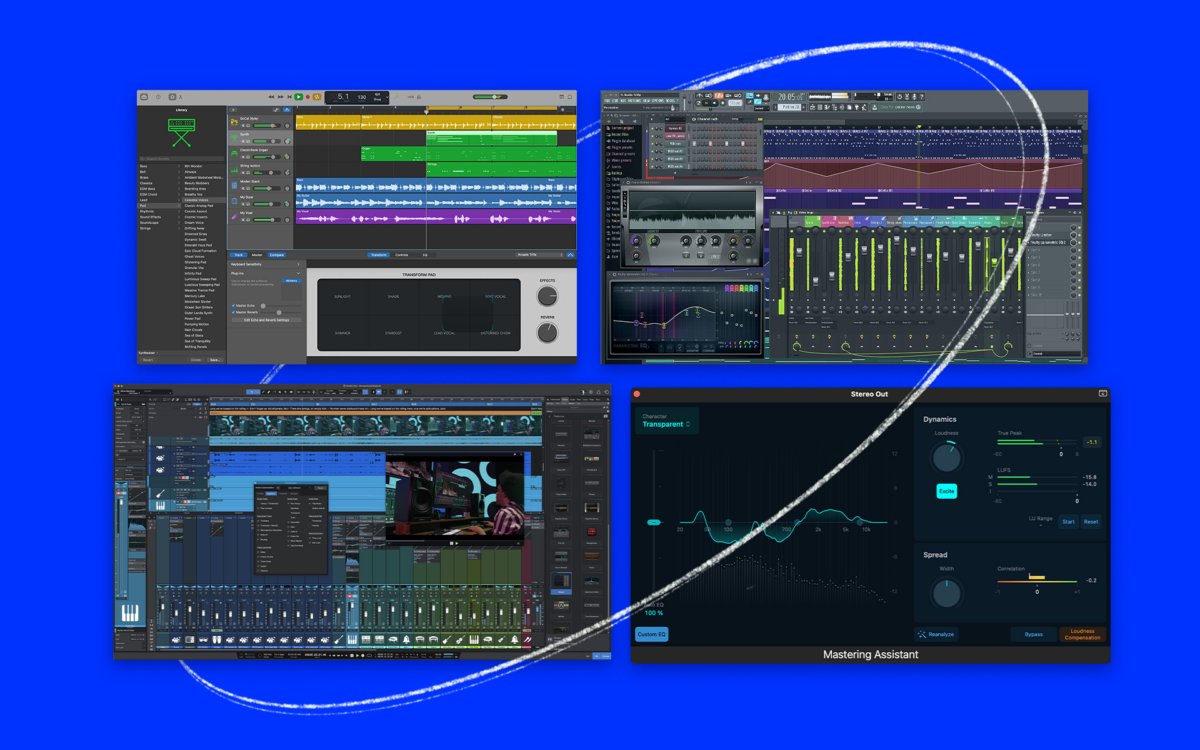
If you own any Apple device, you already have a surprisingly capable DAW sitting right there. GarageBand shares the same audio engine as Logic Pro, which means your projects transfer seamlessly when you’re ready to upgrade. The built-in Drummer feature alone can save beginners hours of programming beats, and the loop library is genuinely useful — not the throwaway content you find in some free alternatives.
With the A19 Pro chip in the new iPhone 17 and updated iPad lineup, GarageBand’s mobile version is now powerful enough to handle real production sessions. I’ve seen students produce entire demo EPs on iPad GarageBand during their commute.
Pros: Free, pre-installed, seamless Logic Pro upgrade path, excellent iPad version, solid instruments and loops
Cons: Mac/iOS only, limited mixing tools, no third-party VST support, fewer tracks and effects
Verdict: The no-brainer first step for anyone in the Apple ecosystem
2. FL Studio — Best Overall for Beginners
Price: $99 (Fruity) / $179 (Producer) / $269 (Signature) / $449 (All Plugins)
Here’s what makes FL Studio the best DAW for beginners 2025 in my professional opinion: lifetime free updates. You buy it once, and every future version is yours — forever. In an era of subscriptions, this is genuinely rare and massively valuable. Producers who bought FL Studio 10 years ago are running the latest version right now at no extra cost.
The pattern-based workflow is intuitive for beat-makers and electronic producers. You build patterns, then arrange them — it’s how most beginners naturally think about music. The Channel Rack, Piano Roll, and Mixer work together in a way that feels logical from day one. FL Studio’s Piano Roll is widely considered the best in any DAW, and for beginners learning music theory through production, that matters enormously.
Pros: Lifetime free updates, intuitive pattern workflow, cross-platform (Win/Mac), massive community and tutorials, excellent Piano Roll
Cons: Audio recording limited in Fruity Edition, unique workflow can confuse traditional musicians, mixer routing less intuitive than competitors
Verdict: Best overall pick for beginners, especially in hip-hop, EDM, and beat-making
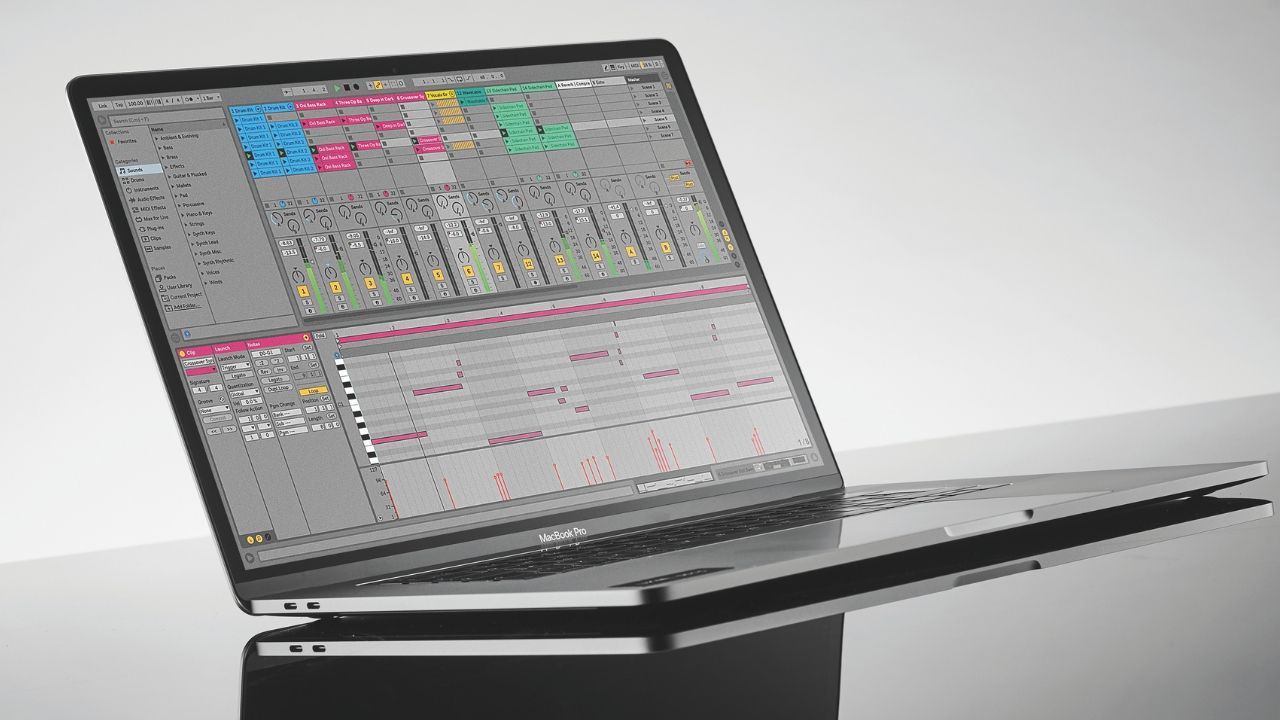
3. Ableton Live 12 — Best for Electronic Music and Live Performance
Price: $99 (Intro) / $449 (Standard) / $749 (Suite)
Ableton Live 12 introduced significant improvements for beginners this year. The redesigned browser makes finding sounds faster, and the new MIDI generation tools help you create melodic ideas even when you’re stuck creatively. But the real magic remains Session View — a unique grid-based interface where you can trigger clips, loops, and samples in real time.
The problem? Ableton’s Intro version ($99) is genuinely limited — 16 tracks, fewer instruments, and no Max for Live. You’ll hit those walls fast. The Standard version at $449 is where it gets truly powerful, but that’s a steep ask for someone who doesn’t know if they’ll stick with production. Consider Splice’s rent-to-own option to spread the cost.
Pros: Session View for live performance, excellent warping and sampling, strong stock instruments (Drift, Meld, Wavetable), Max for Live ecosystem
Cons: Expensive at Suite level, Intro version very limited, Arrangement View has a learning curve
Verdict: Best for electronic music enthusiasts willing to invest
4. Logic Pro — Best Value Professional DAW (Mac Only)
Price: $199.99 (one-time purchase)
At $199.99 for a full professional DAW with no subscriptions, Logic Pro is absurd value. You get AI-powered Session Players and Drummer, the Alchemy synthesizer (one of the best in any DAW), a massive 80GB+ sound library, and professional mixing tools that rival Pro Tools. The GarageBand-to-Logic Pro transition is seamless — your projects, skills, and muscle memory all transfer.
With Apple’s September 2025 event showcasing the A19 Pro chip’s 40% better sustained performance, Logic Pro sessions with heavy virtual instruments now run more efficiently than ever on new Macs. If you’re already in the Apple ecosystem, this is arguably the smartest long-term investment.
Pros: Incredible value at $199, massive sound library, AI Session Players, seamless GarageBand upgrade, excellent for all genres
Cons: Mac-only, can feel overwhelming initially, some features buried in menus
Verdict: Best professional DAW for Mac users on a budget
5. Reaper — Best Budget Option for Power Users
Price: $60 (personal) / $225 (commercial)
Reaper at $60 is the most powerful DAW per dollar you can buy. It’s lightweight, blazing fast even on older hardware, infinitely customizable, and cross-platform. The non-restricted trial lets you evaluate everything before paying. For producers who want total control over their workflow, Reaper is unmatched.
But here’s my honest take after 28 years: Reaper is not the most beginner-friendly DAW. The default UI is sparse, the built-in instruments are minimal, and customization — while powerful — means you need to invest time configuring before you’re productive. If you’re the type who enjoys tweaking and learning deeply, Reaper rewards that. If you want to make music immediately, start elsewhere and come back to Reaper later.
Pros: Extremely affordable ($60), lightweight and fast, infinitely customizable, cross-platform, generous trial
Cons: Steep learning curve, sparse built-in instruments, less polished UI, community-dependent learning
Verdict: Best budget pick for technically-minded beginners
6. Cubase Elements 13 — Best for Songwriters and Composers
Price: $99.99 or $16.99/month rent-to-own (34 months)
Steinberg’s Cubase has been a studio staple since the late 1980s, and the Elements version gives beginners access to features that songwriters specifically need. The Chord Track lets you experiment with harmonic progressions visually, the Score Editor handles notation, and the MIDI editing is among the most precise available. Cubase’s rent-to-own option through Splice makes the professional version accessible at $16.99/month.
Pros: Strong MIDI editing, Chord Track for composition, Score Editor, rent-to-own option available
Cons: Complex interface for beginners, Elements version limited, fewer community tutorials than FL Studio or Ableton
Verdict: Best for aspiring songwriters who think in chords and notation
7. BandLab — Best Zero-Risk Entry Point
Price: Free (browser-based, no download needed)
Not sure if music production is for you? Open BandLab in your browser right now — no download, no account required for basic features, no money. It’s surprisingly capable for a free, browser-based tool, with built-in instruments, effects, and even social collaboration features. Think of it as the Google Docs of music production. It won’t replace a desktop DAW for serious work, but for testing the waters, there’s literally zero friction.
Pros: Completely free, no installation needed, social collaboration features, works on any device with a browser
Cons: Limited compared to desktop DAWs, requires internet, not for serious production, latency issues
Verdict: Best way to try music production with absolutely no commitment
Best DAW for Beginners 2025: Quick Comparison Table
Here’s the rapid-fire breakdown to help you decide:
- Best free (Mac): GarageBand — then upgrade to Logic Pro
- Best free (any platform): BandLab (browser) or Reaper (trial)
- Best overall for beginners: FL Studio ($99+ with lifetime updates)
- Best for electronic music: Ableton Live 12 ($99+)
- Best value professional: Logic Pro ($199.99, Mac only)
- Best budget: Reaper ($60)
- Best for songwriters: Cubase Elements 13 ($99.99)
How to Actually Choose: 5 Questions That Matter
After guiding hundreds of beginners through this exact decision, here are the five questions that actually predict which DAW you’ll stick with:
- Mac or Windows? If Mac → start with GarageBand (free), then Logic Pro. If Windows → FL Studio or Reaper.
- What genre? Hip-hop/EDM → FL Studio. Electronic/live → Ableton. All-rounder → Logic Pro. Budget → Reaper.
- Who do you watch? Pick the same DAW as your favorite tutorial creators. Learning is 10x easier when you can follow along exactly.
- Subscription or one-time? Hate subscriptions → FL Studio (lifetime updates) or Logic Pro (one-time). Flexible → Cubase or Ableton rent-to-own via Splice.
- How technical are you? Want to customize everything → Reaper. Want it to just work → GarageBand or FL Studio.
The AES Factor: AI Is Changing Every DAW
The AES International Conference on AI/ML for Audio this month highlighted a trend every beginner should know: AI features are becoming standard across all major DAWs. Logic Pro’s AI Session Players generate realistic backing tracks. Ableton Live 12’s MIDI generation tools help with creative blocks. FL Studio’s AI stem separation is improving with each update.
What this means for beginners: the DAW you choose in September 2025 will have significantly more AI assistance than what existed even six months ago. This lowers the barrier to entry dramatically. You don’t need to know music theory to start — AI tools can help you build chord progressions, drum patterns, and even melodic ideas while you learn.
My Honest Recommendation After 28 Years
Here’s what I tell every beginner who walks into my studio: pick one and start today. The worst decision is no decision. The DAW you learn on becomes second nature, and switching later — while possible — means rebuilding muscle memory.
If you’re on Mac and have zero budget: open GarageBand right now. If you have $99–$199 and want the safest bet: FL Studio (any platform) or Logic Pro (Mac). If you’re serious about electronic music and willing to invest: Ableton Live 12. If you’re budget-conscious and technically curious: Reaper at $60 is a steal.
The best DAW for beginners in September 2025 isn’t the one with the most features — it’s the one you’ll actually open every day. Start making music. You can always switch later, and your skills transfer more than you think.
Need help setting up your first DAW, optimizing your studio workflow, or getting professional mixing and mastering for your tracks?
Get weekly AI, music, and tech trends delivered to your inbox.