


Claude Code Multi-Agent Orchestration: 1,096 Commits, a Hidden Swarm, and 5 Patterns That Changed Everything
January 28, 2026
AI Developer Tools 2026: The Great IDE Wars, Infrastructure Shakeups, and What It All Means
January 29, 2026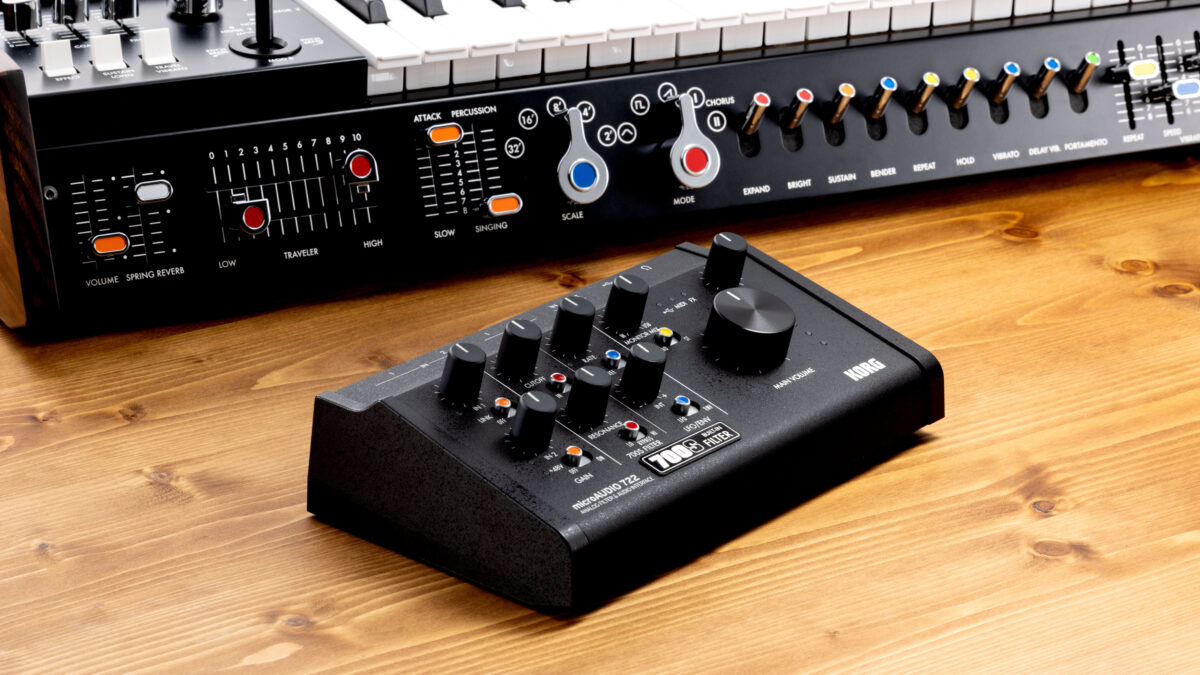
NAMM 2026 wrapped up four days ago, and the home studio setup guide 2026 landscape has already shifted. New interfaces from Korg, Yamaha, and Fender — plus a game-changing free plugin from beyerdynamic — mean right now is the best time to build or upgrade your studio. After 28 years of running studios, I can tell you that the week after NAMM is always the sweet spot: new products push last-gen prices down, and dealers are clearing inventory.
Whether you’re recording your first demo or upgrading to a commercial-grade setup, this guide breaks everything down into three budget tiers, covers the NAMM 2026 gear worth your attention, and tackles the one investment most people skip — acoustic treatment.
Home Studio Setup Guide 2026: Three Budget Tiers
Tier 1: Starter Studio ($500–$800)
The goal at this level is maximum output with minimum gear. You don’t need everything — you need the right things. Here’s what actually matters when you’re starting out.
- Audio Interface: Focusrite Scarlett Solo 4th Gen ($130) — 69dB of gain, USB-C, and the Auto Gain feature that automatically sets your input levels. The Air mode adds subtle high-frequency presence to vocals. This is the interface I recommend to every beginner, and for good reason: it just works.
- Headphones: Audio-Technica ATH-M50x ($150) — Flat frequency response, foldable design, replaceable earpads. If you’re mixing on headphones only (and at this budget, you will be), these are your reference point.
- Microphone: Audio-Technica AT2020 ($100) — Cardioid condenser, the home recording standard. Handles vocals, acoustic guitar, and voiceovers equally well. Needs phantom power (your Scarlett has it).
- DAW: Reaper ($60 personal license) or GarageBand (free on Mac). Reaper is lightweight and infinitely customizable. GarageBand gives you a direct upgrade path to Logic Pro later.
- Accessories: Mic stand + pop filter + XLR cable ($50–80). Don’t skip the pop filter — plosives will ruin otherwise good takes.
Starter tier total: $490–$520. If you have budget left over, put it toward basic acoustic treatment (covered below). Not a second mic. Not a MIDI controller. Room treatment first.
Tier 2: Working Studio ($1,500–$2,500)
This is where client work becomes viable. You’re adding monitor speakers, upgrading your mic and interface quality, and treating your room. The jump from Tier 1 to Tier 2 is the biggest quality leap per dollar you’ll make.
- Audio Interface: Universal Audio Volt 276 ($300) — Vintage preamp mode plus a built-in 1176-style compressor on the input. The analog character is genuinely useful on vocals and guitars. Alternative: Audient iD4 MkII ($200) with its class-A preamp console heritage.
- Studio Monitors: Yamaha HS5 pair ($400) — Bi-amped, 54Hz–30kHz frequency response. The “white cone” series has been an industry standard nearfield monitor for over a decade. The Room Control switch compensates for desk placement low-end buildup.
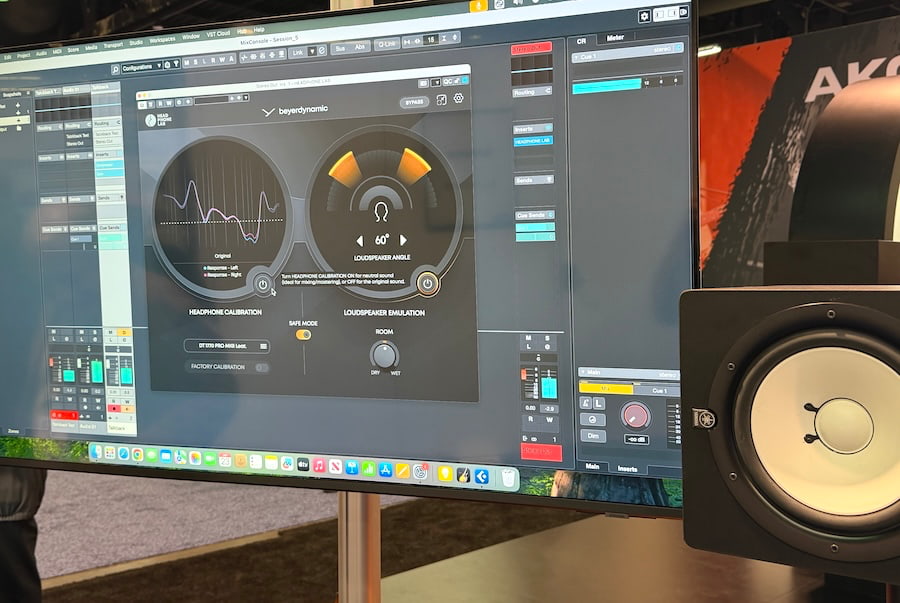
- Headphones: beyerdynamic DT 900 Pro X ($250) — Open-back design for wide soundstage, comfortable for long sessions. Pair these with the new beyerdynamic Headphone Lab plugin (free, announced at NAMM 2026) for personalized frequency calibration based on your hearing profile.
- Microphone: Rode NT1 5th Gen ($270) — 4.5dBA self-noise (one of the quietest condensers made), dual connectivity with built-in 32-bit float USB. Perfect for vocals and acoustic instruments.
- DAW: Logic Pro ($200 one-time, Mac) or Ableton Live 12 Standard ($350, cross-platform).
- Acoustic Treatment: 4–6 DIY panels ($300–$500). This is non-negotiable at this tier.
Working tier total: $1,720–$2,370. This rig handles vocal recording, beat production, and solid mixing. The monitor + treated room combination is what separates “bedroom producer” sound from professional output.
Tier 3: Pro Suite ($4,000–$8,000+)
Full-time producers, engineers, and content creators. At this tier, converter quality, monitor accuracy, and microphone character become your differentiators. You’re investing in tools that will pay for themselves over hundreds of sessions.
- Audio Interface: Universal Audio Apollo Twin X ($1,100) — Unison preamp technology, onboard UAD plugin processing with near-zero latency. Or RME Babyface Pro FS ($900) for rock-solid driver stability and the lowest round-trip latency in its class.
- Studio Monitors: Adam Audio A7V pair ($1,300) — X-ART ribbon tweeter for detailed high-frequency reproduction, built-in DSP room correction. Or Genelec 8030C ($1,500/pair) with SAM (Smart Active Monitoring) auto-calibration.
- Headphones: Audeze LCD-X ($1,200) — Planar magnetic drivers, the reference standard for headphone mixing. At NAMM 2026, Audeze announced SLAM technology for the LCD-5s ($4,500), but the LCD-X remains the sweet spot for working engineers.
- Microphones: Shure SM7B ($400) for dynamic recording (vocals, podcasts, guitar cabs — minimal room pickup) plus Neumann TLM 102 ($700) for pristine condenser recording. Two mics that cover virtually everything.
- DAW: Ableton Live 12 Suite ($750) or Logic Pro ($200) plus premium plugin bundles (FabFilter Total Bundle, Soundtoys 5, Valhalla Complete).
- Monitor Calibration: Sonarworks SoundID Reference ($300) with measurement mic included. Flattens your monitor and headphone frequency response so you’re hearing what’s actually there.
- Acoustic Treatment: GIK Acoustics panel set or premium DIY ($800–$1,500).
Pro tier total: $5,650–$8,050+. This setup produces commercial-release-quality mixes and masters. Every component earns its place.
NAMM 2026 Hot Picks: Four Products That Matter for Home Studios
NAMM 2026 (January 20–24) delivered some genuinely useful products for the home studio market. Here are the four I’m paying attention to.
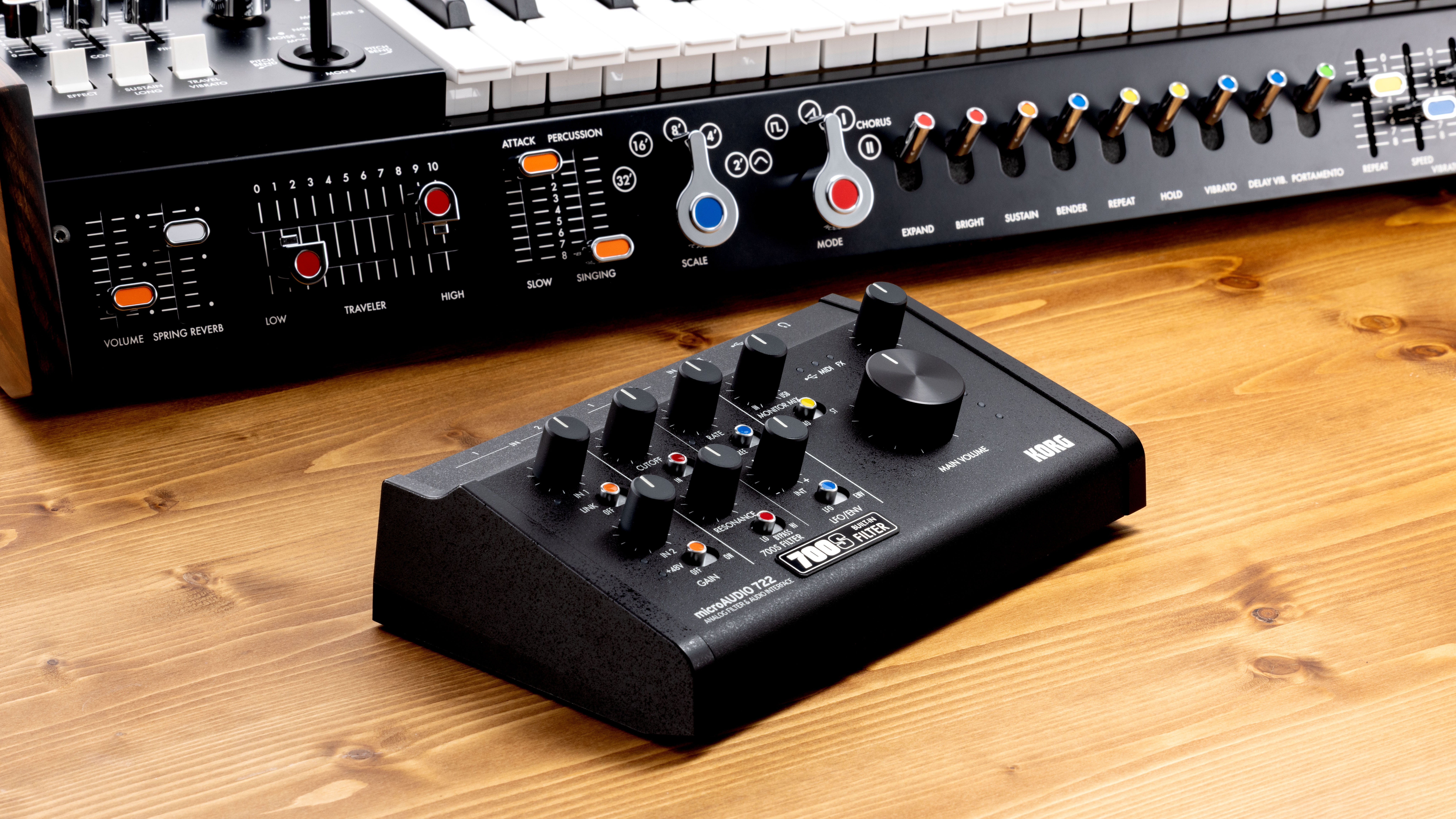
- Korg microAUDIO 22/722: USB-C audio interfaces with built-in effects — reverb, compressor, and EQ processed on the hardware itself. The microAUDIO 22 (2-in/2-out) and 722 (7-in/2-out) eliminate the need for monitor plugins during tracking. Particularly useful for beginners who don’t want to deal with plugin latency. Expected pricing: $150–$400.
- Yamaha URX22: A USB-C interface with a touchscreen DSP panel. You can adjust effects, routing, and monitoring directly on the unit — no computer required for setup. Yamaha’s Steinberg-derived preamp technology promises clean, transparent gain.
- Fender Studio Pro 8: Fender’s first interface since acquiring PreSonus, featuring 8 channels of input with PreSonus XMAX preamp technology under the Fender brand. Aimed at band recording and multi-channel sessions. The brand recognition alone will introduce a new audience to quality home recording.
- beyerdynamic Headphone Lab: A free plugin for DT series studio headphones. Creates a personalized calibration profile based on your hearing, dramatically improving headphone mix accuracy. This is a direct competitor to Sonarworks for beyerdynamic users — and it costs nothing.
Acoustic Treatment: The Investment That Beats Every Gear Upgrade
Here’s the most expensive lesson from my 28 years behind a console: a $400 pair of monitors in a treated room will always outperform a $5,000 pair in an untreated one. Your room is the most important piece of gear you own. It’s also the one most people ignore.
Three-Step Acoustic Treatment Process
Step 1: Bass Traps (First Priority)
Install corner bass traps in all four vertical corners of your room. Low-frequency buildup is the biggest enemy of accurate monitoring in small rooms. Use Rockwool Safe’n’Sound or Owens Corning 703 rigid fiberglass, minimum 4 inches thick. For pre-made options, GIK Acoustics 244 Bass Traps offer excellent performance per dollar.
Step 2: First Reflection Points (Mirror Test)
Sit in your mixing position. Have someone slide a mirror along the side wall at speaker height. Every spot where you can see a monitor speaker’s reflection in the mirror is a first reflection point — mount an absorber panel there. Check both side walls and the ceiling. This single step will dramatically tighten your stereo image and reduce comb filtering.
Step 3: Rear Wall Diffusion/Absorption
Treat the wall behind your listening position with diffusers or absorber panels. Aim for 30–40% total room surface coverage. More than that and your room starts sounding dead, which creates its own mixing problems.
DIY Budget: $300–$800 covers a basic treatment package. Each panel costs $30–$50 in materials: Rockwool insulation, a wooden frame, and breathable fabric. The return on investment is enormous compared to any single piece of gear at the same price point.
DAW Comparison 2026: Choosing Your Workstation
The right DAW isn’t about which one is “best” — it’s about which one matches your workflow. Here’s how the major options stack up in 2026.
- Logic Pro ($200, Mac only): One-time purchase. The bundled instruments and effects (Alchemy, Drummer, Space Designer) rival standalone plugins costing hundreds more. Apple Silicon optimization means M-series chips handle massive track counts with minimal CPU load. The best all-rounder for Mac users from beginner to professional.
- Ableton Live 12 ($100–$750): Session View is the killer feature no other DAW replicates well. Live performance, electronic music, and beat-making are where it shines. Version 12 added native stem separation — isolate vocals, drums, bass, and other elements from any audio file. Cross-platform (Mac/Windows).
- FL Studio ($100–$500): Lifetime free updates — buy once, get every future version included. The piano roll is the best in the business, and the pattern-based workflow is intuitive for hip-hop and EDM production. Cross-platform. Massive community and tutorial ecosystem.
- Reaper ($60 personal / $225 commercial): Lightweight, fast, and infinitely customizable. Uses minimal system resources, making it ideal for older or less powerful machines. Recording and editing focused. The UI is utilitarian, but power users swear by its scripting capabilities and routing flexibility.
- Free Options: GarageBand (Mac) and Cakewalk by BandLab (Windows) are genuinely capable. GarageBand projects open directly in Logic Pro, creating a seamless upgrade path.
For interface compatibility across all these DAWs, check MusicRadar’s 2026 best audio interfaces roundup, which includes tested driver support for each platform.
2026 Home Studio Trends: USB-C, Headphone Mixing, and AI Calibration
Three clear trends emerged from NAMM 2026 and the broader home studio landscape this year.
- USB-C is Now Standard: Nearly every interface announced at NAMM 2026 ships with USB-C. The Korg microAUDIO, Yamaha URX22, and updated Focusrite Scarlett line are all USB-C native. If you’re buying new, don’t settle for USB-A only — future-proof your rig.
- Headphone Mixing Has Gone Mainstream: Between beyerdynamic’s Headphone Lab, Sonarworks SoundID, and Waves Nx, headphone calibration software has matured to the point where mixing on headphones is a legitimate workflow. For apartment producers who can’t run monitors at mixing volume, this is a transformative shift.
- AI-Powered Calibration: Sonarworks’ AI room analysis, Genelec’s GLM 4.2 auto-correction, and similar tools are automating the measurement and correction process. Beginners can now achieve monitoring accuracy that previously required an acoustician and expensive measurement equipment.
The fundamentals haven’t changed: good gear + properly treated room + a DAW you know inside out. Get those three right and your budget tier almost doesn’t matter. But if you take one thing from this guide, let it be this — treat your room before you upgrade your gear. That’s the most expensive lesson from 28 years, and I’m giving it to you free.
Need help designing your studio space or dialing in your acoustic treatment? Sean brings 28 years of hands-on studio experience to every consultation.
Get weekly AI, music, and tech trends delivered to your inbox.






