


Microsoft Copilot Agents February 2026: How PowerPoint, Excel, and Word Agents Change Everything
February 6, 2026
Meta Llama 5 Avocado Leak: 5 Key Revelations About the 10x More Efficient AI Model
February 9, 2026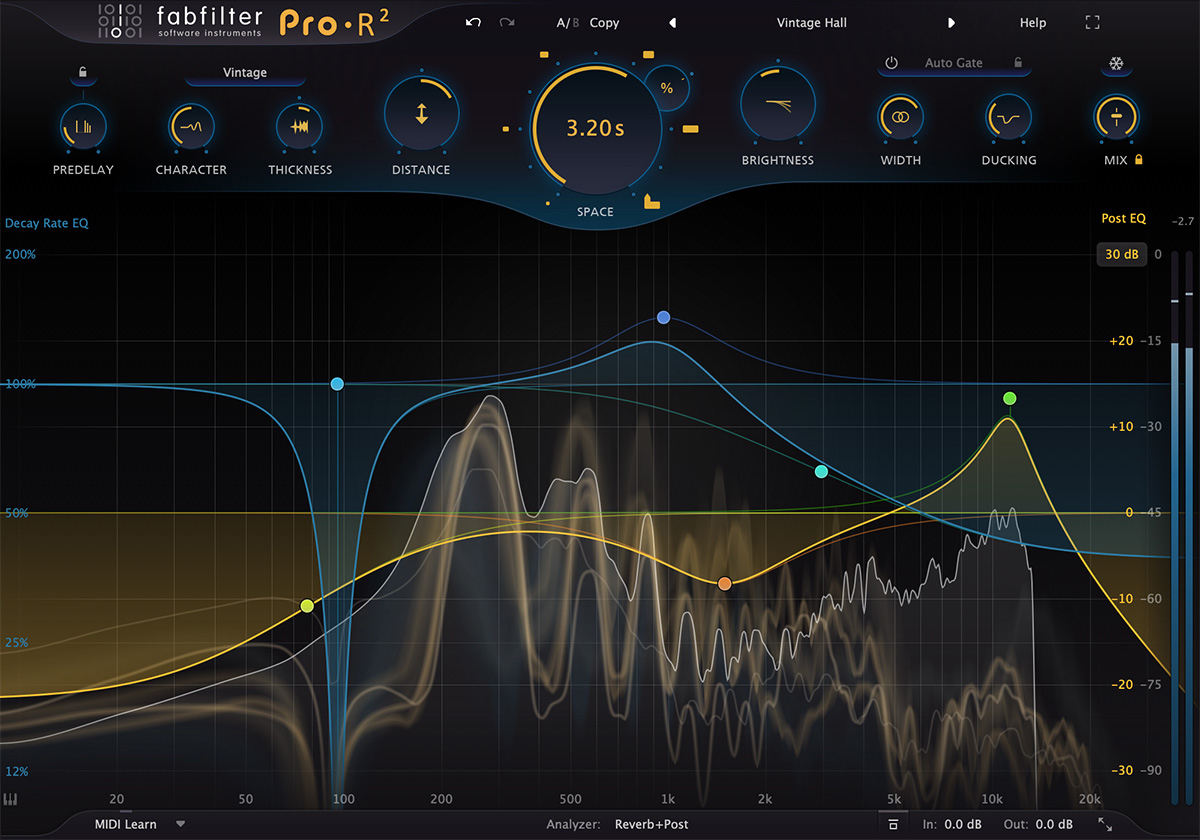
FabFilter Pro-R 2 is finally here, and it’s not just an incremental update — it’s a complete reimagining of what an algorithmic reverb plugin can do. With three distinct reverb algorithms, full Dolby Atmos support up to 9.1.6, IR import capabilities, and a host of new creative controls, FabFilter has essentially packed what used to require three separate plugins into one $169 package. The original Pro-R was already a staple on countless mixing sessions for its clean, musical approach to algorithmic reverb. This sequel raises the bar so dramatically that it’s worth examining every major feature in detail.
Three FabFilter Pro-R 2 Algorithms That Cover Every Reverb Character
The headline feature of Pro-R 2 is the introduction of three core reverb algorithms. The original Pro-R gave us one incredibly versatile algorithm — now FabFilter delivers three, each with its own distinct sonic character. All three share the same unified room model controlled by the Space knob, allowing smooth transitions between reverb sizes and styles without any parameter jumping or audio glitches.
Natural Space carries forward the legacy of the original Pro-R. It recreates realistic acoustic spaces with a unified room model, where the Space knob lets you smoothly transition from intimate studio rooms to cavernous concert halls. The transitions are seamless — no abrupt jumps, no artifacts, just smooth spatial morphing that makes it incredibly easy to find exactly the right room size for your track. For orchestral mixing, jazz recordings, or any genre where authentic acoustic simulation matters, Natural Space remains the gold standard.
Vintage is where things get exciting for anyone who’s ever lusted after the sound of classic 80s and 90s digital reverb units. Think Lexicon 480L, AMS RMX16 — those long, bright, hyper-real ambiences that defined an entire era of music production. FabFilter has captured that character in algorithmic form, and it sounds phenomenal on synth pads, vocals, and anything that benefits from that larger-than-life digital sheen. If you’ve been chasing that 80s pop or synthwave reverb texture, this algorithm delivers it without hunting down increasingly rare and expensive vintage hardware.
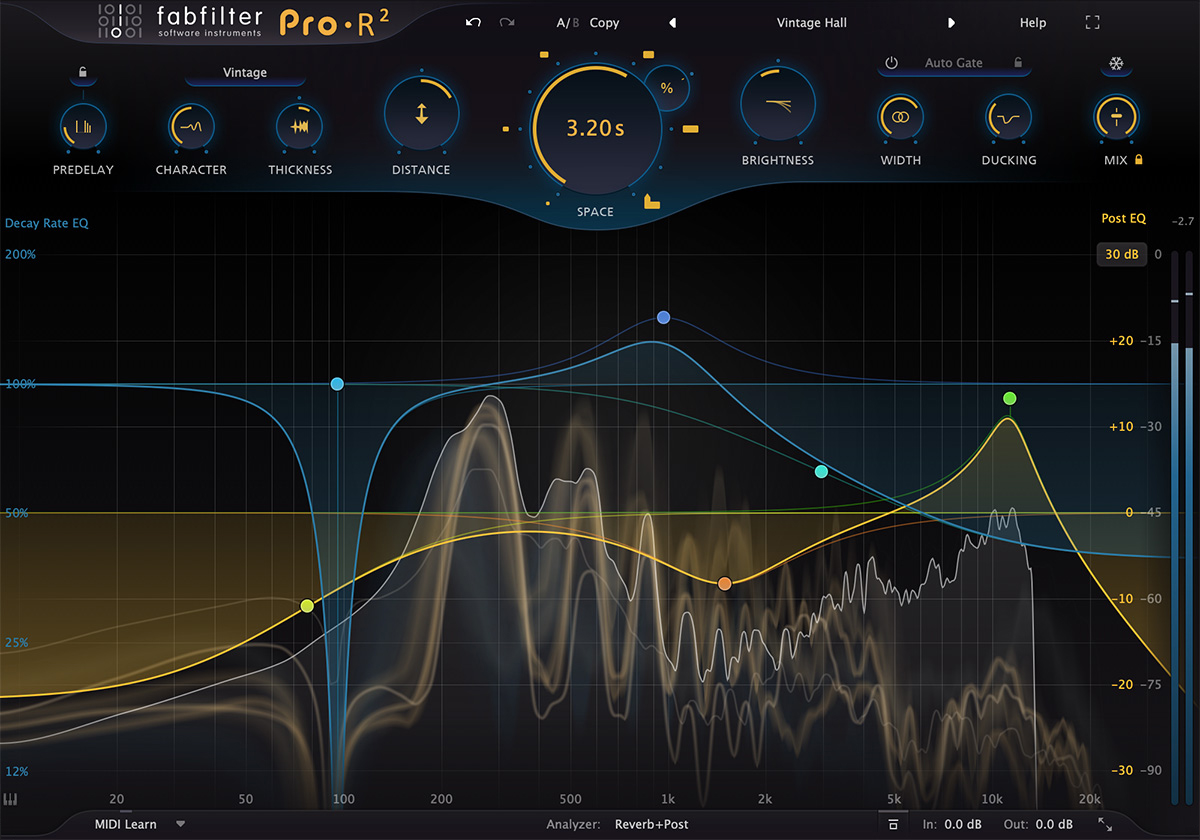
Plate delivers the evocative metallic character of electromechanical plate reverbs like the legendary EMT 140. It’s ideal for drums and vocals where you want that dense, smooth decay with just a touch of metallic shimmer. The rapid build-up and tightly packed reflections characteristic of plate reverbs give snare drums presence and lead vocals a sense of depth that’s impossible to achieve with room-based algorithms alone. Production Expert praised the Plate algorithm for its authentic character and musicality.
Decay Rate EQ and Musical Controls: What Sets FabFilter Pro-R 2 Apart
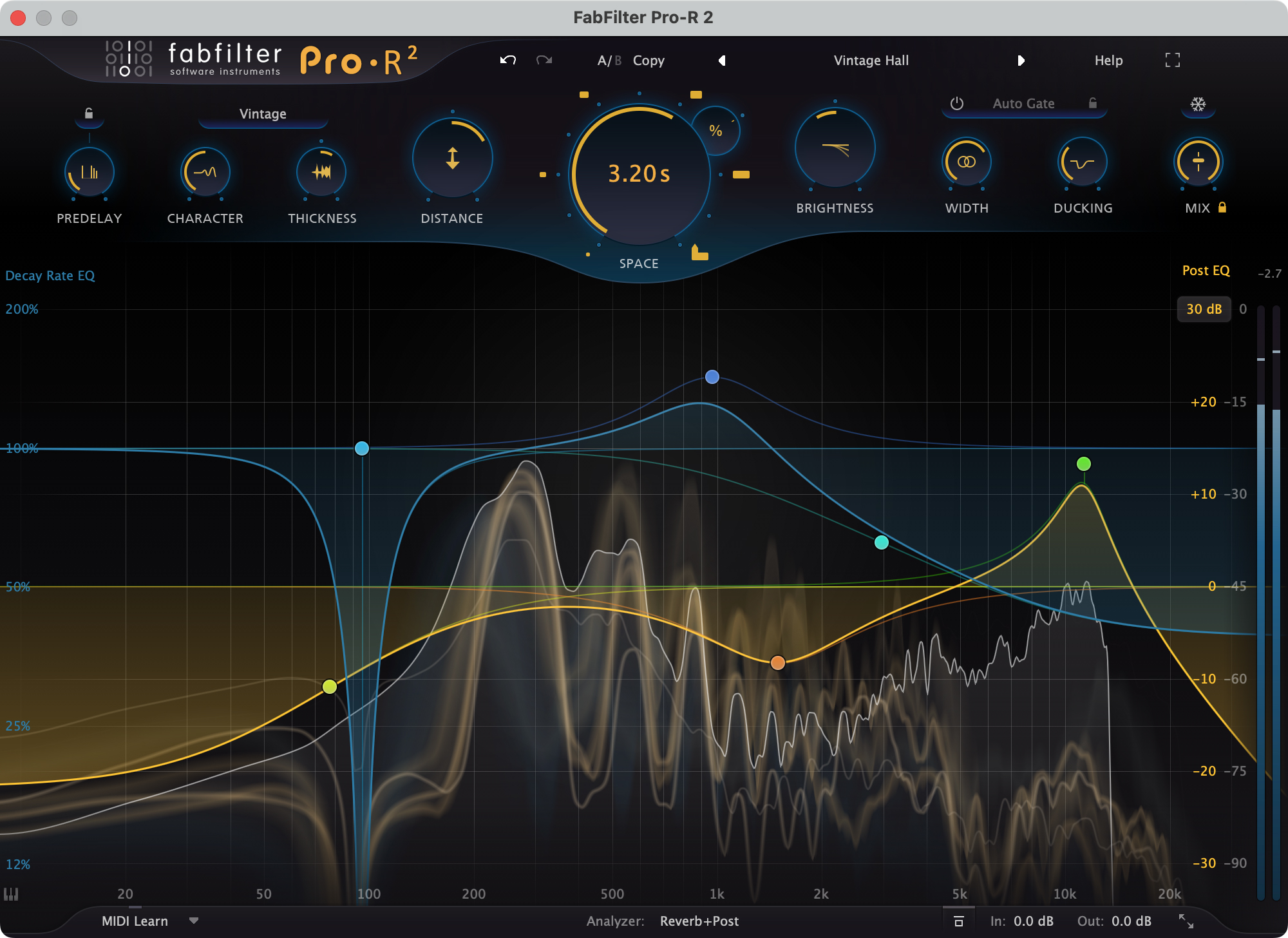
If there’s one feature that truly differentiates Pro-R 2 from every other reverb plugin on the market, it’s the Decay Rate EQ. This industry-first feature lets you freely adjust decay time across the entire frequency spectrum. Want the low end to die out quickly while the high frequencies linger? Done. Need a mid-focused reverb tail that clears out the lows and highs? A few clicks and you’re there.
This level of spectral control over reverb decay simply doesn’t exist in competing plugins, and it’s a game-changer for mixing dense arrangements where frequency masking from reverb tails is a constant battle. Imagine being able to keep lush high-frequency shimmer on a vocal reverb while preventing the low-end buildup that muddies a bass-heavy mix — that’s what Decay Rate EQ enables with just a few mouse clicks.
FabFilter has also maintained their reputation for intuitive design with controls like Brightness, Character, and Distance. As MusicTech noted in their review, Pro-R 2 is “one of the most flexible and easiest-to-use reverb plugins on the market.” These musical, non-technical parameters mean you’re shaping sound by feel rather than wrestling with abstract technical values. Turn up Brightness and the reverb tail sparkles; adjust Character to change the mood of the space; use Distance to place the source closer or further from the listener. It’s the kind of workflow that lets you find the right sound in seconds rather than minutes.
The new Thickness knob adds analogue-style saturation to the reverb signal, introducing warmth and harmonic coloring to the reverb tail. It’s subtle when dialed in gently but can push into rich, saturated territory when you want your reverb to have real presence and body. Particularly effective on acoustic instruments and vocals where you want that vintage warmth without reaching for a separate saturation plugin. This eliminates a common workaround in many engineers’ signal chains — no more chaining a dedicated saturation plugin after your reverb bus just to add warmth.
Dolby Atmos 9.1.6 Support: Reverb for the Immersive Audio Era
In 2026, Dolby Atmos and immersive audio aren’t optional anymore — they’re where the industry is heading. FabFilter Pro-R 2 fully supports up to 9.1.6 channel configurations with independent Decay Rate and Post EQ settings per channel. This is a significant leap forward for surround reverb plugins.
Most surround reverb solutions simply extend a stereo reverb into multichannel territory. Pro-R 2 takes a fundamentally different approach, giving you independent control over the spatial characteristics of each channel. For engineers working on Apple Music Spatial Audio, Netflix Dolby Atmos content, or any immersive audio project, this means you can create truly three-dimensional spatial environments where the reverb behavior varies naturally across the listening sphere.
In practice, natural immersive reverb requires height channels to behave differently from floor-level channels — reflections from above have different characteristics than those from the sides or behind. Pro-R 2 lets you fine-tune these differences per channel, creating the kind of believable spatial immersion that makes listeners feel they’re actually inside a physical space. This is equally valuable for film soundtrack mixing and VR audio production.
IR Import, Ducking, and Workflow Enhancements
One of the more innovative features in Pro-R 2 is its IR (Impulse Response) import function. You can load WAV and AIFF impulse response files, and FabFilter’s algorithm analyzes and algorithmically recreates the IR’s characteristics. This isn’t simple convolution — the plugin learns the character of the IR and translates it into algorithmic parameters, which means lower CPU usage and full parameter adjustability. You get the character of your favorite convolution reverbs with the flexibility of an algorithmic engine.
Why does this matter? Convolution reverbs are CPU-hungry and offer limited tweakability — you’re stuck with the acoustic properties baked into the IR file. Pro-R 2’s approach lets you import an IR from, say, a famous concert hall, then freely adjust its decay characteristics, brightness, and spatial properties using all of Pro-R 2’s controls. It’s the best of both worlds: real-world acoustic character with algorithmic flexibility.
Several practical workflow features round out the update. Ducking automatically reduces reverb level when the input signal is present, maintaining vocal clarity while preserving spatial richness — a technique that used to require sidechain compression on a reverb bus. This is particularly valuable for vocal mixing, where you want the reverb to swell between phrases but stay out of the way during singing. Intelligent Auto Gate cleanly trims reverb tails, preventing that common problem of reverb buildup in dense mixes. And Freeze sustains the reverb tail infinitely, opening up creative sound design possibilities — hold a single chord and let the frozen reverb become a sustained pad texture.
Pro-R 2 supports VST, VST3, Audio Units, AAX, AudioSuite, and CLAP formats, covering virtually every DAW on the market. The inclusion of CLAP support signals FabFilter’s commitment to staying current with emerging plugin standards, ensuring compatibility with the latest DAW developments. The full-featured preset browser with tags, favorites, search, and filtering makes it easy to find the right starting point for any project. As MusicRadar put it, FabFilter has taken reverb into three dimensions.
Is FabFilter Pro-R 2 Worth $169?
At $169 USD, FabFilter Pro-R 2 represents serious value. Three reverb algorithms, Dolby Atmos support, IR import, ducking, saturation — buying these capabilities separately would cost several times more. For existing Pro-R users, the upgrade pricing makes it even more compelling.
To put this in context: Valhalla VintageVerb ($50) excels at vintage character but lacks immersive audio support. Liquidsonics Seventh Heaven ($69-$149) offers superb acoustic reverb but doesn’t match Pro-R 2’s algorithmic variety. To cover Natural, Vintage, and Plate reverb characters with Dolby Atmos support before Pro-R 2, you’d need multiple plugins from different developers costing significantly more than $169 combined.
For engineers working in immersive audio, this is arguably a must-have. A 9.1.6-capable reverb with per-channel control at this price point is unprecedented. And for everyone else, having Natural, Vintage, and Plate algorithms in a single plugin with FabFilter’s signature ease of use means Pro-R 2 could genuinely be the only reverb plugin you need in 2026. The combination of sonic versatility, immersive audio support, and workflow innovations makes FabFilter Pro-R 2 the new benchmark for algorithmic reverb.
Need professional mixing, mastering, or Dolby Atmos production support? Greit Studios can help you get there.
Get weekly AI, music, and tech trends delivered to your inbox.






